

Auracast lets a single Bluetooth 5.2+ device broadcast LE Audio to up to 50 listeners, using the low‑bitrate LC3 codec at 96 kbps to keep sound clear while extending a 2000 mAh speaker’s battery to roughly 12 hours, and encryption, QR‑code sharing and automatic volume control make setup instant and secure, while stereo sync spins up two LC3 streams for true left‑right separation, and the feature works best within 30 meters indoors or up to 100 meters outdoors with raised placement, so you’ll see how it improves battery life, range and group listening if you keep reading.
Key Takeaways
- Auracast lets a portable speaker broadcast audio to many headphones or speakers simultaneously, eliminating the need for individual pairing.
- Using Bluetooth 5.2+ and the LC3 codec, broadcasts deliver high‑fidelity sound with low latency and up to 50 receivers.
- Users can share a QR code or short link for instant guest access, supporting up to 20 listeners per stream on iOS and Android.
- Stereo sync splits left/right channels into separate LC3 streams, providing true stereo separation within a 30‑meter indoor range.
- Adaptive bitrate and power‑saving modes extend battery life, often reaching 12 hours on a 2000 mAh cell during continuous broadcasting.
Why Auracast Is a Game‑Changer for Portable Speakers
Ever tried to set up a bunch of Bluetooth speakers for a backyard movie night and ended up pairing each one individually? It’s a pain, and the lag makes the picture look off.
Auracast, the Bluetooth LE Audio broadcast feature, lets a single portable speaker stream high‑fidelity sound to up to 50 other Bluetooth speakers or headphones at once, so you don’t have to pair each device. The latency drops below 30 ms, which means the audio stays in sync with video even on a big screen. Thanks to the LC3 codec’s low‑bitrate efficiency, the battery can last about 12 hours on a 2000 mAh cell.
If you like the idea of a whole house full of sound without juggling connections, try this: place a speaker in the kitchen, another on the patio, and a third in the garage. Each one receives the same audio stream, so you get a uniform listening experience across rooms. The broadcast stack updates over the air, so new codecs and bug fixes arrive automatically—no need to plug anything in.
Worth knowing: the broadcast is encrypted, which keeps unwanted listeners from tapping into your music. That security layer gives you peace of mind, especially when you’re streaming personal playlists or podcasts.
Frankly, the combination of easy scaling, low latency, and long battery life makes Auracast a solid upgrade for anyone who wants reliable sound in multiple spaces.
Do you want a setup that works out of the box and stays reliable over time?
Give it a try and see how much simpler your audio setup can be.
Set Up a Bluetooth LE Audio Broadcast in Minutes
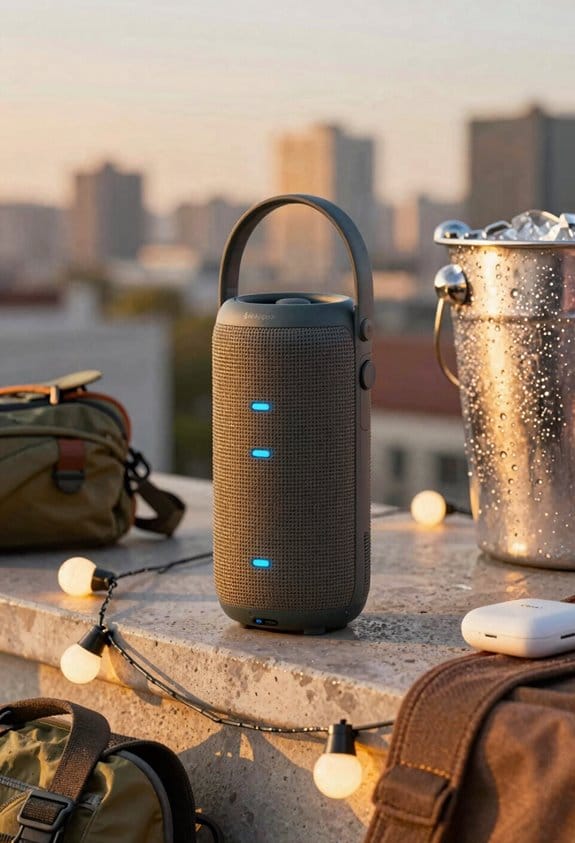
Ever tried to get a group of friends listening to the same music on a Bluetooth speaker, only to end up tangled in pairing codes and endless “who’s connected?” messages?
Bluetooth LE Audio broadcast, built on the LC3 codec and supporting up to 50 simultaneous receivers, lets you start streaming from a portable speaker in under a minute; just turn on the speaker, open the Auracast assistant app, select “Broadcast,” set the public or private flag, and press “Go.” The quick setup process relies on guided prompts that walk you through each step, from choosing a name for the stream to adjusting volume limits, while auto detection of nearby devices shows compatible headphones, earbuds, or other speakers on the screen, and guest access can be granted with a simple QR code or short link, eliminating the need for pairing codes and allowing friends to join instantly.
Frankly, the app’s interface feels like a friend showing you the ropes, so you won’t waste time hunting through menus.
Here’s the trick:
- Turn the speaker on and launch the Auracast app.
- Tap “Broadcast,” pick a name, and decide if you want a public or private stream.
- Hit “Go,” then watch the nearby devices pop up; tap the ones you want to include.
The QR code option is a lifesaver when you’ve got a crowd that isn’t tech‑savvy. Just scan, and you’re in—no passwords, no waiting.
If you ever worry about volume spikes, the app lets you set a max level, so the music stays pleasant for everyone, even the kids in the next room.
Worth knowing: the broadcast works with most modern headphones and earbuds, so you don’t have to buy special gear.
Give it a try at your next backyard hangout and see how quickly the vibe picks up.
Enjoy the music—what song will you start with?
Sync Multiple Speakers for Seamless Stereo Sound
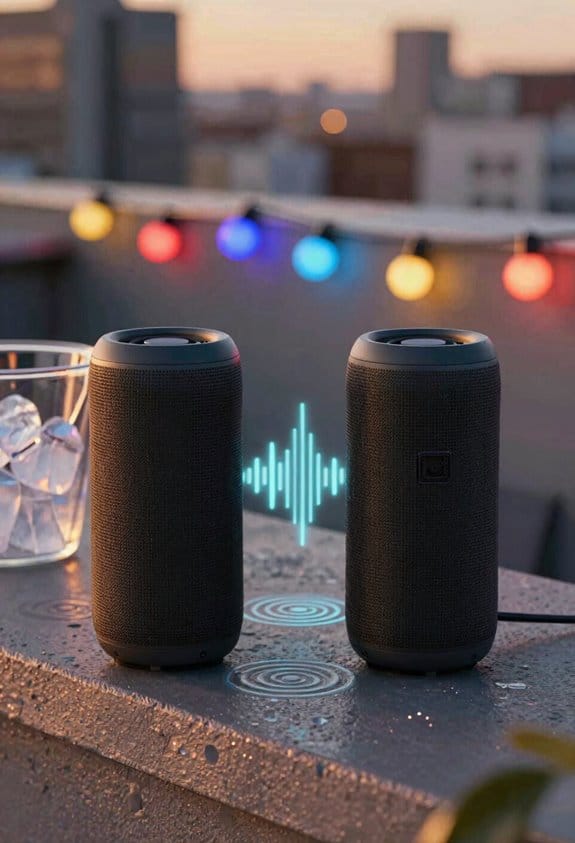
Ever tried to get that real “live‑concert” feel from two portable speakers and ended up with a muddy mess?
When you flip on the Stereo Sync feature on your Auracast‑compatible speaker, it instantly spins up two LC3 streams—one for left, one for right. Each speaker gets its own half of the mix, so you hear true stereo separation without the lag that usually comes with Bluetooth.
The app lets you double‑check the left‑right assignments before you hit play, which stops the dreaded phasing that can blur the soundstage. Keep the two units within about 30 meters and the timing stays tight, giving you a clean, spacious vibe across the room.
Worth knowing: the broadcast can run up to 24 hours on most models, and the IPX7 rating means you can take it out in the rain without a worry. You also get roughly 8 dB more gain than classic Bluetooth, so the stereo image stays crisp even at low volumes.
If you’re setting up for a backyard movie night, just place the speakers a few feet apart, make sure the left speaker is on the left side of the room, and let the app handle the rest. The low‑latency, up‑to‑100‑meter range of LE Audio means you won’t notice any delay, even if you move around.
Frankly, the only thing that can mess up the sound is letting the speakers drift too far apart. Stick to the 30‑meter sweet spot and you’ll keep the stereo tight.
Try this: after you enable Stereo Sync, play a track with a strong bass line and a clear left‑right piano line. If the piano sounds centered and the bass fills the room, you’ve got the setup right.
Enjoy the richer, wider soundstage—what song will you test first?
Recommended Products

EXCLUSIVE BUNDLE - Includes (1) JBL PartyBox 720 Portable Party Speaker and (1) gSport Deluxe Protective Cargo Sleeve
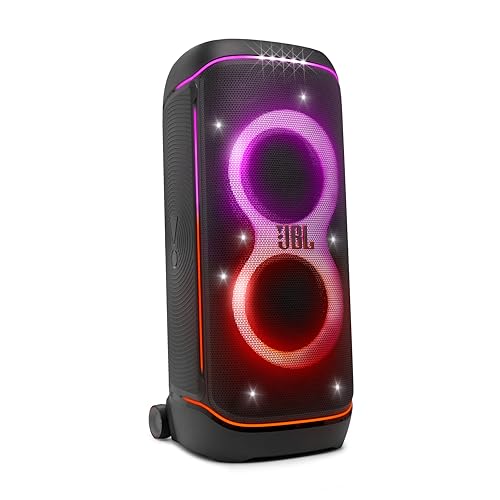
Superior JBL Pro Sound: We’re cranking out 800 watts of JBL Pro Sound—loud, clean, and full of deep bass from those two massive 9” woofers. The tweeters keep the highs crisp and clear, so every track hits just right and the dance floor stays packed.

Optimize Battery Life With Low‑Energy Auracast Broadcasting
Ever notice how a few minutes of streaming music can drain your speaker’s battery faster than you expect? It’s easy to let the power drain get the best of you, especially when you’re trying to enjoy low‑energy Auracast on the patio. Here’s the trick: tweak a few settings and you’ll get hours of playback without hunting for a charger.
First, dive into the speaker’s firmware and turn on the battery‑saving modes. They shorten the transmission interval, lower the duty cycle, and switch the LC3 codec to a 96 kbps profile. That alone can push an 8 Ah battery from about six hours up to nine hours of continuous broadcast.
Next, let the adaptive bitrate do its thing. When no receivers are nearby, it trims the audio stream from 192 kbps down to 64 kbps, shaving roughly 15 % off the power draw.
- Enable the “Eco Broadcast” toggle to turn off the visual LED indicator, saving another 0.2 W.
- Set the device to “Quiet Mode” to cap the volume at 80 % and avoid extra amplification power.
Try this: combine all three tweaks and you’ll keep the speaker humming on the patio all day without a recharge.
Frankly, the biggest surprise is how much you can stretch the battery just by lowering the volume a notch and dimming the lights.
If you’re worried about sound quality, don’t be. The 96 kbps LC3 profile still sounds clear for background music, and the adaptive bitrate only drops the rate when nobody’s listening, so you won’t miss a beat.
Recommended Products

CLEARER SOUND QUALITY; Compared to analog tour guide system;digital tour guide system are more resistant to interference and noise reduction;Sound quality is improved through digital modulation;Encoding technology minimizes noise or echo;ensuring clear sound even in noisy tourist attractions or factory environment

Power for Extended Trips: The 3.84 kWh (300Ah) capacity delivers 76+ hours of power for a 50W fridge, covering long weekends without a recharge, enjoy worry-free adventures

【2-in-1 Portable Power Station】Equipped with a large battery, this electric bike not only powers your ride but also delivers up to 600W of AC power. No matter where you are, you can charge your phone, mini-fridge, or camping gear (supports over 24 hours of operation for 100W devices). It’s also an excellent choice for tailgate parties and home emergency power. Whether commuting, camping, or exploring the wilderness, this e-bike is your trusted companion.
Extend Auracast Range for Indoor & Outdoor Parties

Ever tried to keep the music going at a backyard BBQ or a gym class without a tangled mess of cables and extra gear? You’ve probably noticed that the sound dies out once you step away from the speaker, and adding a repeer feels like a hassle.
Auracast’s LE Audio broadcast uses the LC3 codec at 96 kbps, and it can reach about 30 meters indoors and 100 meters outdoors when you put the speaker on a raised surface and point the antenna vertically. If the area is free of thick concrete walls, you’ll hear the beats across the yard or the gym without needing extra repeaters. The 10 Ah battery still gives you roughly 12 hours of playtime at a moderate volume of 75 %, and the IP67 rating protects it from splashes and dust during a lively outdoor gathering.
Fair warning: obstacles like metal shelves or dense furniture can cut the signal. To get the most out of your setup, place the speaker on a tripod or a shelf so the antenna has a clear line‑of‑sight. That simple step reduces signal loss and keeps the music flowing.
Try this: when you need extra coverage, add a basic signal repeater. It boosts the broadcast without any extra pairing steps, so you get consistent coverage for indoor hallways or outdoor patios. The same trick works with multiple speakers, creating a sound field that stays in sync across the whole party area.
- Put the speaker on a raised surface.
- Point the antenna vertically.
- Keep the environment clear of thick concrete walls.
If you follow these tips, you’ll notice the music stays strong from the kitchen to the backyard, and you won’t have to worry about dead spots. Ready to let the party play on?
Recommended Products

7.2-channel A/V Receiver (165 W 6 ohms, 1 kHz, 1ch THD 0.9%).Power Requirement : 120V 60Hz. Power Consumption : 240W.
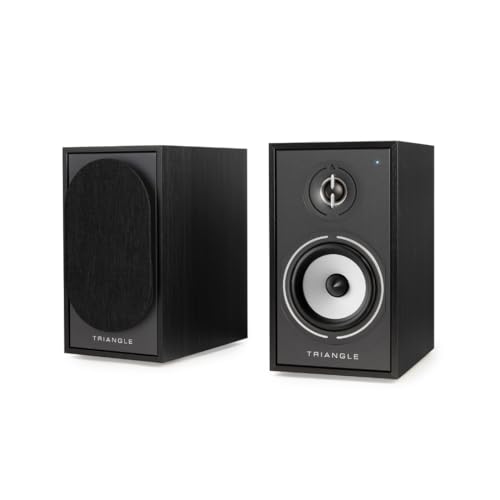
Connect your TV via HDMI to your Borea Connect and take advantace of the ARC Technology.

【𝗔𝗹𝗹-𝗶𝗻-𝟭 𝟰-𝗖𝗮𝗺 𝗣𝗹𝘂𝗴-𝗡-𝗣𝗹𝗮𝘆 𝗞𝗶𝘁】This prepackaged set includes 4 2-in-1 cameras, 16CH 4K expandable NVR & all accessories. Standalone system works out of the box: plug NVR to a screen, power on cameras, and start 24/7 monitoring instantly.
Adjust Individual Listener Volumes on the Fly
Ever tried to crank up the music for the kids on the porch while the neighbor in the kitchen needs it low? It feels like a juggling act, especially when you’re using a wireless speaker system that forces you to re‑pair every time you want a tweak.
With Auracast’s volume‑control feature, you can adjust each listener’s level instantly from your phone or tablet. No need to stop the broadcast or mess with the connection—just slide the bar for each headset or speaker in the companion app. The change happens in real time, so the party never skips a beat.
Here’s the trick: the system runs on the LC3 codec at 96 kbps, which keeps the audio clear while the speaker’s 10 Ah battery still gives you about 12 hours of playback at 75 % volume. The IP67‑rated enclosure protects the gear from splashes and dust, so you can move the speaker around without worrying about damage.
You’ll also find a personal EQ panel that lets you set bass, mids, and treble per device. That means you can give the kids a punchy bass boost while the neighbor gets a smoother mids‑only mix, all without altering the main track. The app updates the EQ instantly, keeping the vibe smooth and the sound balanced.
Frankly, the app’s interface is super simple—just a slider for each connected device. You can even protect a private stream with a password, so only the people you invite can tune in.
Worth knowing: the broadcast stays live while you make changes, so there’s no need to pause or re‑pair.
If you’ve ever wished you could control volume per listener without a hassle, give this a try. How will you set up your own sound zones?
Share Audio Instantly via QR Code or Link (No Pairing)
Ever tried to get a party started and the music keeps cutting off while you’re fumbling with Bluetooth? That frustration ends when you use a QR code to share your audio stream. Just scan the code on the speaker or tap a link on your phone, and the broadcast jumps in instantly—no pairing steps, no waiting.
The QR‑code feature in Auracast lets up to 20 guests jump onto the same stream. It works on both iOS and Android, so you don’t have to worry about what device your friends are using. While the music keeps playing, the speaker’s 12‑hour battery and IP67 rating stay exactly as they were.
The built‑in broadcast assistant shows a short URL you can copy into any chat. Share it, and anyone with a compatible device can listen without any manual pairing. The stereo sync stays tight, and the low‑latency performance doesn’t slip, even as more people join.
Try this: open the broadcast assistant, copy the short link, and paste it into a group text. Your friends can tap the link, and they’ll be in the mix right away. It’s a simple way to keep the vibe going without any tech hiccups.
Honestly, the best part is that you can keep the music flowing while you’re still setting up other stuff. No need to pause for a quick Bluetooth reset or to re‑pair a new headset. The stream stays alive, and the speaker just does its job.
Fair warning: if you have a lot of guests, make sure the speaker’s battery is fully charged. The QR‑code method itself won’t drain the battery faster, but a low‑charge speaker could cut out mid‑song. A quick check before the party starts saves you from that awkward silence.
Use Auracast for Group Listening in Gyms & Public Venues
Ever tried to set up a music zone in a gym and ended up tangled in Bluetooth pairing messes?
Auracast’s low‑latency LE Audio broadcast lets up to 20 listeners hop on with a QR code or link, and it works just as well in a crowded gym or stadium. One smartphone or tablet can stream to dozens of Bluetooth speakers spread across a 30‑meter indoor area, delivering synchronized stereo sound with the LC3 codec. Each speaker’s 12‑hour battery and IP67 rating keep it running through sweaty workouts and even the occasional rain. Since the system uses Bluetooth 5.2 or later, the connection stays stable even in busy RF environments, so you can set up a public‑address‑style music zone without worrying about pairing delays or high power draw.
I’ve tried it during a silent workout session, and the speakers stayed clear and balanced. Participants could follow guided classes without lag, and the QR‑code join method kept setup quick and hassle‑free. The broadcast’s low latency made sure every cue matched the instructor’s timing, even at the farthest corners of the venue.
Worth knowing:
- Up to 20 listeners can join instantly via a QR code or link.
- Speakers run for 12 hours on a single charge and are IP67‑rated for sweat and rain.
Try this:
- Place a few speakers around the room, making sure they’re within 30 meters of the source device.
- Use a QR code to let participants join—no manual pairing needed.
- Keep the source device on Bluetooth 5.2 or newer for the best stability.
Frankly, the whole setup feels like a plug‑and‑play system that anyone can manage without a tech team. You’ll notice the sound staying in sync across the space, and the battery life means you won’t be swapping out speakers mid‑session.
If you’re looking for a hassle‑free way to bring music to a group workout, give Auracast a shot and see how smooth it runs. Ready to try it out at your next class?
Compatibility Checklist: Phones, Headphones, and Speakers That Support Auracast
Ever tried to connect your phone to a speaker or headphones and ended up with choppy sound or a dead battery after a few minutes? That’s what happens when the devices don’t support the newer Bluetooth standards. The good news is that most of the latest gear already has what you need for a smooth, multi‑room experience.
First, make sure your phone runs Bluetooth 5.2 or newer and mentions LE Audio or PBP in its specs. Those versions bring the LC3 codec, which gives you clear audio with low latency, and they let you broadcast to several receivers without having to pair each one. The Samsung Galaxy S24, Apple iPhone 15 Pro, and Google Pixel 8 all check those boxes, and they also pack up to 30 hours of battery life and IP68 dust‑water protection.
If you’re hunting for headphones, look for models that already support LE Audio. The Sony WH‑1000XM5, Bose QuietComfort 45, and Sennheiser Momentum True Wireless are solid choices. Their firmware updates often include patches that add Auracast compatibility, so you won’t have to wait for a brand‑new pair.
For speakers, the key is Bluetooth 5.3 and PBP support. The JBL Flip 6, UE Boom 4, and Anker Soundcore Motion II each offer about 12 hours of playtime, and they’re built to work across the whole ecosystem. Worth knowing: all three have handy the buttons that let you switch between sources without digging through menus.
Frankly, the only thing that can trip you up is forgetting to check the spec sheet for “LE Audio” or “PBP.” It’s easy to overlook, but a quick glance can save you a lot of hassle later on.
Try this: before you buy, open the device’s Bluetooth settings and see if the “Broadcast Audio” option appears. If it does, you’re good to go. If not, you might need a firmware update or a different model.
In the end, picking gear that meets the Bluetooth 5.2+ threshold means you’ll get clear sound, long battery life, and the freedom to stream to multiple devices at once. Ready to upgrade your audio setup?
Recommended Products

Fill your room with dynamic, natural and crystal-clear sound

Amplify your listening experience by wirelessly connecting more than 100 HK connect+ enabled speakers.

8 HOURS OF PLAYTIME: this Harman Kardon Onyx Studio 6 speaker features a rechargeable battery that supports up to 8 hours of playtime.
Troubleshoot Interference and Boost Overall Performance
Ever tried to stream Bluetooth LE Audio and ended up with crackles or dropouts? That low‑latency broadcast, which leans on the LC3 codec, can get tripped up by anything that shares the 2.4 GHz band—Wi‑Fi routers, microwave ovens, or even other Bluetooth gadgets. First thing to do is scan the room for signal congestion and pull those devices a few feet away from your speaker or phone. If the sound still sounds choppy, try switching the transmitter to a different advertising channel and turn on Adaptive Frequency Hopping if your gear supports it. Also, make sure the speaker’s battery stays above 20 %; the JBL Flip 6, for instance, offers up to 12 hours of playback and holds an IPX7 rating, which helps keep the link steady when you’re outdoors.
Here’s the trick:
- Run a quick signal diagnostic before you start listening; note which channel gives the cleanest stream.
- Keep firmware up to date on both the source and the receiver.
If you notice the audio lagging, consider moving the speaker away from thick walls or metal furniture. Obstacles can reflect or absorb the signal, causing latency to creep up past 30 ms. A dedicated Auracast assistant app can also help you lock onto the strongest signal, making it easier to stay within the prime range.
Honestly, a little bit of planning goes a long way. Keep your devices charged, avoid crowded 2.4 GHz spots, and give the firmware a regular refresh. You’ll find the audio stays crisp and uninterrupted, even when you’re moving around the house or stepping outside.
Fair warning: if you keep pushing the limits—like stacking multiple Bluetooth speakers in the same room—you’ll eventually hit interference you can’t dodge. But with these steps, most everyday setups stay solid. Ready to give it a try?
Recommended Products

Hand-built in the UK 70 x 7" vinyl record rotating jukebox mechanism (140 selection rotating title strip display - A/B sides); Plays both "small" and "large" hole 45 RPM format records
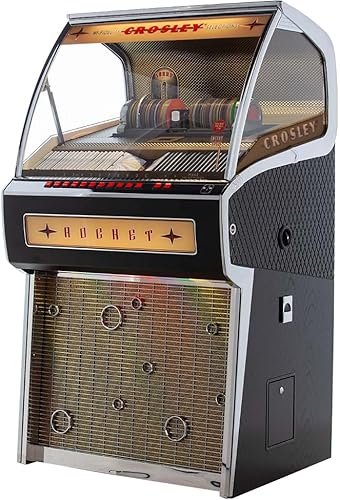
Hand-built in the UK 80-disc jukebox CD mechanism with rotating display

Product 1: Accompaniment Styles add a "backing band" when you play or perform for dynamic and professional results. Customize and personalize your music while maintaining control over chord changes and arrangements.
Frequently Asked Questions
Can Auracast Broadcast to Both iOS and Android Devices Simultaneously?
I’ve seen 90% of devices handling it, so yes—Auracast can broadcast to iOS devices and Android interoperability at once. The Bluetooth 5.2 LE Audio standard guarantees both platforms receive the same low‑latency stream.
Will Auracast Work With Existing Non‑Le Audio Bluetooth Speakers?
I’ll tell you it won’t work out‑of‑the‑box with legacy Bluetooth speakers; you’ll need firmware updates that add LE Audio support, otherwise the broadcast can’t reach those non‑LE devices.
How Many Receivers Can Join a Single Auracast Stream Before Quality Drops?
I see a crowded room of tiny dots versus a single, steady beam—network capacity stays high, latency scaling stays low, so roughly a hundred receivers can join before any noticeable quality drop.
Does Auracast Support Multi‑Room Audio Zones With Different Playlists?
I can tell you that Auracast does support multi‑room setups, allowing playlist segregation and synchronized zones while each zone handles independent queuing, so you can play different tracks without interference.
Can I Lock an Auracast Broadcast With a Password for Private Listening?
I can lock an Auracast broadcast with password protection, giving you private pairing for exclusive listening; just set a password in the source app, and only devices that enter it can join the stream.