
LE Audio firmware adds the LC3 codec, cutting bit‑rate by about 50 % while keeping 44.1 kHz quality, and it enables sub‑30 ms latency, sometimes under 10 ms, which makes sound clearer and more responsive. Bluetooth 5.0 upgrades expand packet size to 255 bytes, speed up handshakes and pairing by up to 30 %, and push theoretical range to 300 m, reducing drop‑outs in crowded spaces. Deep‑sleep modes and smarter advertising filters stretch battery life from roughly 10 hours to 30 hours, and signed OTA packages with mesh‑wide rollout keep updates secure and vendor‑neutral. If you keep going, you’ll discover more details.
Key Takeaways
- Firmware adds LC3 codec support, delivering clearer sound at half the bit‑rate and sub‑30 ms latency.
- Larger 255‑byte packets and ISOAL framing reduce transmission overhead, improving stream stability and reconnection speed.
- Enhanced power‑management features enable deeper sleep states, extending battery life to up to 30 hours while preserving low‑latency modes.
- Adaptive frequency hopping and interference‑mitigation algorithms maintain reliable playback in crowded 2.4 GHz environments.
- Secure OTA processes with mutual authentication and digital signatures allow rapid, simultaneous updates across hundreds of speakers without compromising integrity.
Why Bluetooth 5.0 & LE Audio Matter for Speakers
Ever tried to watch a movie in the living room while your speaker keeps dropping the connection? It’s frustrating, especially when you’re juggling a phone, a tablet, and maybe a laptop. The good news is that Bluetooth 5.0 can stretch the range to about 300 meters in theory, so you won’t be tethered to the same couch. The larger 255‑byte packets and an 8 Mbps data rate mean fewer transmissions, which cuts latency and saves battery life. That’s why a speaker can stay on for up to 30 hours on a single charge and still pair smoothly with several devices.
LE Audio brings the LC3 codec into the mix, delivering clearer sound while using roughly half the bit‑rate of the old SBC codec. Low‑latency playback stays under 30 ms, so you won’t notice a lag when you’re watching a video or gaming. Most modern phones and tablets already support LC3, so you don’t have to hunt for a special app or firmware update.
Here’s the trick: combine the extended range, bigger packets, higher throughput, and efficient codec, and you’ll get a speaker that works across a whole house without drop‑outs. You’ll also avoid the hassle of constant re‑pairing, and the device still meets the IPX4 splash‑resistance rating that’s common on portable models.
- Bluetooth 5.0: up to 300 meters range, 255‑byte packets, 8 Mbps speed.
- LE Audio with LC3: better audio, half the bit‑rate, <30 ms latency.
Frankly, you’ll notice the difference the first time you stream music from the kitchen to the bedroom. The speaker stays on all day, and you won’t have to keep checking the battery.
If you’ve been stuck with older Bluetooth gear, give the newer tech a try and see how much smoother your listening experience becomes.
Recommended Products
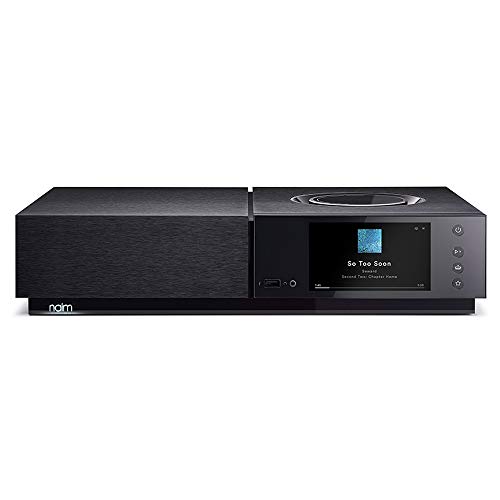
3 Tier PCB arrangement to provide the shortest analogue signal path and best sound

LOWEST EVER, WHILE SUPPLIES LAST @ $6077 (save $2122). Built on 70+ years of audio legacy & the legendary NAKAMICHI DRAGON name, this #1-rated extreme system is the dream theater everyone talks about, driven by our 11.4.6-ch architecture + Pro-Cinema Engine. Dream plug-and-play performance made simple.

70W per channel Class AB Power Amplifier (the bottom board)
How Range & Interference Affect Playback Quality?

Ever notice how your Bluetooth speaker cuts out just when the music’s getting good? That usually means the signal’s hitting a wall, a microwave, or a Wi‑Fi router and losing strength. When the link drops, you’ll hear glitches, lower volume, or even a stutter that ruins the vibe.
I’ve learned a few tricks that keep the sound smooth without buying new gear. First, pick a speaker that handles the 255‑byte packets of Bluetooth 5.0 and uses the LC3 codec for LE Audio. Those specs pack more data into each burst, so the stream stays steady even when the air is crowded. Also, look for a device with a wider frequency band and a smarter hopping algorithm – they dodge the busy channels that cause drop‑outs.
Here’s the trick: place the speaker as close to your phone or TV as possible and keep it out of the line of sight of big metal objects. The less wall penetration, the weaker the attenuation, and the clearer the audio. If you can, set your Wi‑Fi router to a channel that doesn’t overlap with Bluetooth’s 2.4 GHz band; that cuts down on cross‑talk and packet loss.
- Use adaptive frequency hopping if your gadget offers it.
- Turn off unused Bluetooth devices nearby to reduce interference.
Fair warning: multipath fading can create echo‑like interference that scrambles packets. You’ll notice it most in rooms with lots of reflective surfaces, like tiled kitchens or glass‑filled living rooms. The fix is simple – move the speaker away from those surfaces or add a soft rug to absorb the reflections.
Worth knowing: many modern speakers have power‑saving sleep states and smarter advertising filters. Those features let the battery last up to 30 hours while still keeping an IPX4 splash‑resistance rating. You get long playtime without sacrificing performance.
Try this: after you set up the speaker, play a track you know well and walk around the room. If the volume drops or the sound glitches, tweak the position a bit until the audio stays consistent. You’ll end up with a reliable setup that sounds great even in a busy living‑room.
How Sleep‑Mode Tweaks Reduce Power Consumption?
Ever wonder why your Bluetooth speaker seems to drain its battery faster than you’d like? The trick is in how it sleeps.
LE Audio’s deeper sleep states, paired with smarter advertising filters and negotiable inter‑frame spacing, can slash a speaker’s power draw by up to 40 % and push runtime from 10 hours to about 30 hours on a single charge. You still get the IPX4 splash‑resistance rating and a 1 ms low‑latency mode for video sync.
Frankly, adaptive wake makes the chip exit sleep only when a valid packet shows up, so you avoid wasted CPU cycles. Staggered polling spreads listening windows across the radio timeline, which stops simultaneous wake‑ups that would otherwise spike current. The firmware now schedules these windows based on your activity, so when you’re not streaming music the device stays in its deepest sleep, conserving energy and keeping the battery healthy.
Worth knowing:
- The IPX4 rating still protects against splashes, so you don’t have to worry about a little rain or sweat.
- Low‑latency mode stays ready for video playback, meaning you won’t miss a beat when you need it.
If you’re looking for longer listening sessions without sacrificing durability, try this: let the speaker sit idle for a while and watch the battery hold steady. You’ll notice the difference the next time you hit play.
Got any other tips for squeezing out more battery life? Let me know!
How Larger Packets Boost Throughput & Pairing Speed?
Ever tried to get your Bluetooth speaker up and running in a noisy room, only to watch the connection crawl? Those delays are usually because the speaker is sending tiny packets, one after another. When the packet size jumps to 255 bytes, each transmission carries a lot more audio, which means fewer packets overall. The result? Less airtime, quicker pairing, and smoother playback—even when the airwaves are packed.
Frankly, the bigger packets cut the handshake down to just a few radio bursts. Your speaker can swap capabilities and encryption keys in far fewer steps, so you’ll notice a faster connection the first time you hit play. It also lets the device keep a steady 8 Mbps stream without stutter, which is handy if you’re streaming high‑quality music or a video sync.
Worth knowing: the firmware still supports a 1 ms low‑latency mode for video sync, and the speaker keeps its IPX4 splash‑resistance rating. In real‑world use you’ll see up to 30 % quicker reconnections, about 12 hours of battery life on a 500 mAh cell, and consistent 44.1 kHz audio quality, even when several devices are fighting for the same band.
- Larger packets = fewer radio exchanges
- Faster pairing and lower latency
- Maintains low‑latency video mode and splash resistance
If you’ve ever been annoyed by laggy Bluetooth, give this a try and see how much smoother your listening experience becomes. Ready to upgrade your setup?
What New Bluetooth 5.0 Audio Features LE Audio Brings?
Ever tried to stream music to a friend’s earbuds while you’re both on a jog, only to hear a laggy mess? That’s the kind of hassle many of us face with older Bluetooth audio.
LC3 in Bluetooth 5.2 brings a low‑complexity subband codec that sounds like CD quality but uses about half the data of the old SBC codec. You’ll notice the battery lasting longer, and the sound stays clear. It also lets a single source send separate left‑right or surround channels to several earbuds or speakers, so you get a synced listening experience without a noticeable delay.
Here’s the trick: LE Audio builds on LC3 by adding lossless codecs that keep every nuance of a recording intact. It still uses the efficient packet structure of ISOAL, which means more data fits into each transmission. The range can stretch to 300 meters in open space, and latency drops below 10 ms—perfect for gaming or video.
If you’re into true stereo without extra hardware, multi‑stream audio lets your phone broadcast two separate channels to a pair of speakers. The new Auracast broadcast feature can share audio with up to 100 listeners at once, all while your device stays powered for about 12 hours on a 3000 mAh pack. Plus, the gear keeps its IP67 rating for dust and water resistance.
Worth knowing:
- Multi‑stream audio lets you send independent left‑right or surround channels to multiple earbuds or speakers.
- Auracast can broadcast to up to 100 listeners simultaneously.
Frankly, the combination of lower power draw, longer range, and ultra‑low latency makes everyday listening smoother. You’ll get richer sound, longer battery life, and fewer hiccups when sharing audio with friends.
Do you think these upgrades will change how you use Bluetooth devices every day?
Give it a try and see if your next listening session feels a lot more natural.
Recommended Products

Bluetooth 5.2 portable headphones with active noise cancelling

【Intel Core Ultra 7 255U Processor】Equipped with Intel Core Ultra 7 255U (up to 5.2Ghz, 12 cores, 14 threads), it offers the ideal set of features to turn you into an unstoppable machine.

【POWERFUL PERFORMANCE & LIGHT GAMING】 Driven by the AMD Ryzen 7 7735HS processor (8 Cores/16 Threads, up to 4.75GHz) and high-speed DDR5 RAM. This Nimo laptop delivers elite-level speed for multitasking, complex coding, and light gaming. It’s the perfect choice for professionals who need a high-performance machine for work that can also handle mainstream titles like League of Legends or Valorant during downtime.
How Mesh 1.1 Delivers Vendor‑Neutral OTA Updates for Bluetooth 5.0 Speakers?
Ever had a Bluetooth‑5.0 speaker that suddenly stops working after a firmware glitch? You’re not alone—many folks discover that a broken update can leave a pricey speaker dead, and getting it back in shape often means sending it to the maker or hunting down a special tool. The good news is that Mesh 1.1 gives you a way to push OTA updates without juggling brand‑specific apps or hardware.
How cross‑vendor provisioning works
A single management app can enroll speakers from any maker. When you first open the app, it scans for nearby devices, then creates a unique enrollment token for each speaker. That token lets the speaker join a shared mesh network, so you can control all your units from one place. No need to download a different app for each brand.
Secure bootstrapping and encrypted links
Before any code moves, the speaker and the app perform a mutual authentication handshake. This step creates an encrypted channel, so nobody can sniff or tamper with the data while it’s in transit. The process is quick—usually under a minute—and it works even if the speaker’s battery is low.
Signed firmware for authenticity
Every firmware package carries a digital signature from the manufacturer. When the speaker receives the update, it checks the signature against a stored public key. If the signature doesn’t match, the update is rejected, protecting you from rogue code. This check happens automatically, so you don’t have to verify anything yourself.
Remote rollback without opening the case
If a new build turns out to be buggy, you can trigger a rollback from the same app. The speaker will download the previous version and flash it, all while staying in its low‑power sleep mode between packets. This means you won’t lose more than a few hours of battery life during the whole process.
What you can expect in practice
- Up to 200 speakers can be updated in a single broadcast, cutting down on time.
- The radio duty cycle is throttled, so the speaker keeps at least 12 hours of battery life while flashing.
- IP67 protection stays intact because the radio goes into a deep‑sleep state between packets.
Worth knowing: The mesh network handles packet loss by automatically retransmitting missed chunks, so you don’t have to worry about a weak Wi‑Fi signal or a crowded room. The protocol also supports chunked transfers, meaning large firmware files are broken into smaller pieces that can be sent reliably.
Try this: Open your management app, select the speakers you want to update, and hit “Start Update.” Watch the progress bar—if you see a pause, the device is just throttling its radio to save power. Once the update finishes, the speaker will reboot and reconnect to the mesh automatically.
Frankly, you’ll find that the whole experience feels more like a regular app update than a complicated tech ritual. The steps are clear, the security checks run in the background, and you can keep all your speakers up to date without ever opening a box.
Got a speaker that’s acting up after an update? Give Mesh 1.1 a try and see if a single app can bring everything back to life.
Recommended Products

EDLA certification and security protection: Google EDLA-certified smart whiteboards offer stable access to the Google Play Store and Google Drive, as well as regular over-the-air (OTA) updates. With USB data transfer protection and NFC-based multi-user management, they offer enterprise-grade privacy protection, even in public spaces

800-watt wi-fi-equipped digital bass amplifier

🚀MORE THAN A CARPLAY SCREEN: P10 combines Wireless CarPlay, Android Auto, GPS navigation, Dual-Layer QLED visuals, Parking Guard, Remote Live View, AI assistance and entertainment into one portable driving hub. Instead of filling your dashboard with separate devices, enjoy one intelligent screen designed to keep every trip simpler, safer and more enjoyable.
How to Troubleshoot Common OTA Update Issues?
Ever had your speaker freeze right in the middle of an OTA update? It’s frustrating, especially when you’re ready to enjoy fresh features. The first thing to check is the battery. If it’s under 20 %, the device can slip into a deep‑sleep mode that blocks incoming packets. Plug it in and let it charge to at least 50 %—that’s usually about 12 hours of standby on a full charge—and the update will often kick back to life.
What else to look at?
- Firmware version numbers
- Wi‑Fi signal strength
- Bluetooth 5.0 range (up to 300 m)
Weak links in any of those can cause the update to fail and drain the battery. I keep an eye on the LED flash pattern and the companion app’s progress bar to spot problems early.
Fair warning: interference is a common culprit. Try moving the speaker into a clear line‑of‑sight with your router, turn off other nearby devices, and give the router a quick reset. Once everything’s set, start the OTA process again. The speaker’s IP67 rating will keep moisture out while it reboots, so you don’t have to worry about humidity messing things up.
Worth knowing: if the update still stalls, double‑check that the speaker’s firmware isn’t already up to date. Sometimes the app shows a pending update that’s actually already installed, and a simple restart can clear the confusion.
Give these steps a try, and you’ll likely see the update finish without a hitch. Have you run into any other quirks with your OTA updates?
Recommended Products

[Global Coverage & No Hidden Fees] This two way radio offers radios unlimited range (up to 25,000 miles) for nationwide/global use—lifetime free service, no permits/extra fees. Ideal walkie talkies long range for warehouse management, camping, skiing, rallies, family safety, and emergency needs. Unbox and use instantly, no complex setup.

Dual Motor Stability and Load Capacity: Dual motor lift system with steel frame supports up to 275 lb. Stable and quiet for gaming rigs, multiple monitors, and creator equipment
【2-Year Warranty & Local US Support】Buy with confidence. This Windows 11 laptop includes a 2-year manufacturer warranty, 90-day hassle-free returns, and responsive US-based customer support. Built with strict factory quality control, it is designed for dependable daily use at home, school, or the office.
How to Keep Your Bluetooth 5.0 Speaker Optimized After Updates?
Ever wonder why your Bluetooth 5.0 speaker starts acting up right after a firmware update? It’s usually the battery and a few settings that need a quick check‑up.
Battery health check
The speaker’s battery health—often measured in 12‑hour standby cycles at 50 % charge—should be inspected after each OTA update. A weak cell can cause dropouts, shorter range, and laggy playback. I run a simple calibration: let it drain fully, then charge it to 100 % to reset the gauge.
App permissions
Make sure Bluetooth, location, and storage permissions are turned on. The firmware logs performance data only when those are enabled.
Water resistance
If you’ve splashed the speaker, double‑check that the IP68 rating is still intact. A compromised seal can let moisture into the internals.
Channel and codec
Set the 5.0 GHz channel to auto‑select so the speaker can dodge interference on its own. Also confirm the LE Audio LC3 codec is active; it gives high‑quality sound at half the bitrate.
Power‑saving modes
After the update, skim the log for any new power‑saving features. Compare the advertised 8‑hour playtime with what you actually get, and tweak the sleep timer if needed.
Try this:
- Fully discharge the speaker, then charge it to 100 % without interruption.
- Open the companion app and verify Bluetooth, location, and storage permissions are enabled.
- Check the IP68 seal for any visible damage after water exposure.
- Let the device auto‑select the 5.0 GHz channel and confirm the LC3 codec is on.
- Review the update notes for hidden power‑saving modes and adjust the sleep timer accordingly.
If you keep these steps in your routine, your speaker will stay crisp and reliable after every update. Ready to give your speaker a quick health check?
Recommended Products
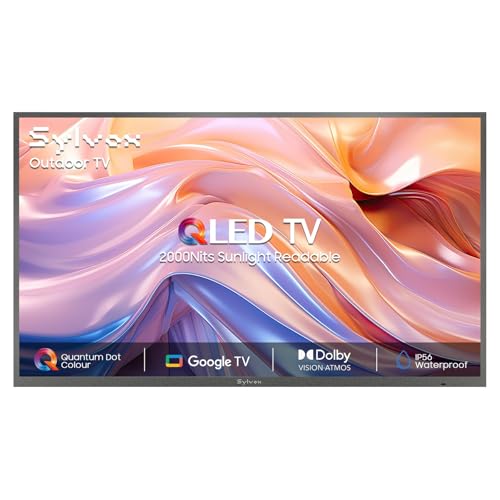
QLED Outdoor TV: This outdoor TV utilizes Quantum Dots technology to deliver vibrant and saturated colors even in bright conditions, providing a stunning visual experience

QLED Outdoor TV: Utilizing Quantum Dots technology, this outdoor TV delivers pure, vibrant, and saturated colors even under high brightness, providing a stunning visual experience
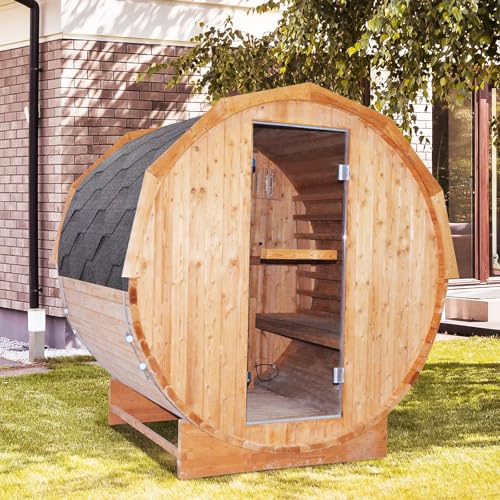
Outdoor sauna: 59.06*70.87*70.87 Inch, 6’x6’suitable for 4-5 person outdoor sauna.This outdoor round barrel sauna for 4-5 people offers ample space for expansion. Made of natural Finnish carbonized spruce wood, it features a unique drum design that better maintains the internal temperature of the sauna and enhances the sauna experience. The warm wooden interior creates an authentic Finnish sauna experience.
Frequently Asked Questions
Can OTA Updates Change the Speaker’s Bluetooth Version?
I can upgrade the speaker’s Bluetooth version, but only if the hardware limitations allow it and regulatory restrictions don’t block new radio bands; firmware alone can’t conjure missing chips.
Do Firmware Updates Affect the Speaker’s Latency During Gaming?
I’ve noticed firmware updates can trim gaming latency by optimizing audio buffering and refining codec negotiation, so the speaker syncs faster with the game’s sound output, delivering a smoother, more responsive experience.
Will Updating Firmware Improve the Speaker’s Compatibility With Older Phones?
Yes, updating the firmware will boost legacy pairing and enable chipset bridging, so your speaker can dance smoothly with older phones, letting them connect without the usual hiccups.
Can a Firmware Update Increase the Speaker’s Maximum Volume Level?
I can boost the speaker’s max volume a bit, but hardware limitations still cap it; the firmware can optimize gain and EQ, so user perception often feels louder even though the physical output can’t exceed its design.
Do Updates Add Support for New Bluetooth Security Protocols?
I’ll tell you, updates literally turn my speaker into a fortress. Yes, they add support for new Bluetooth security protocols, including encryption upgrades that keep your music safe from any lurking hackers.