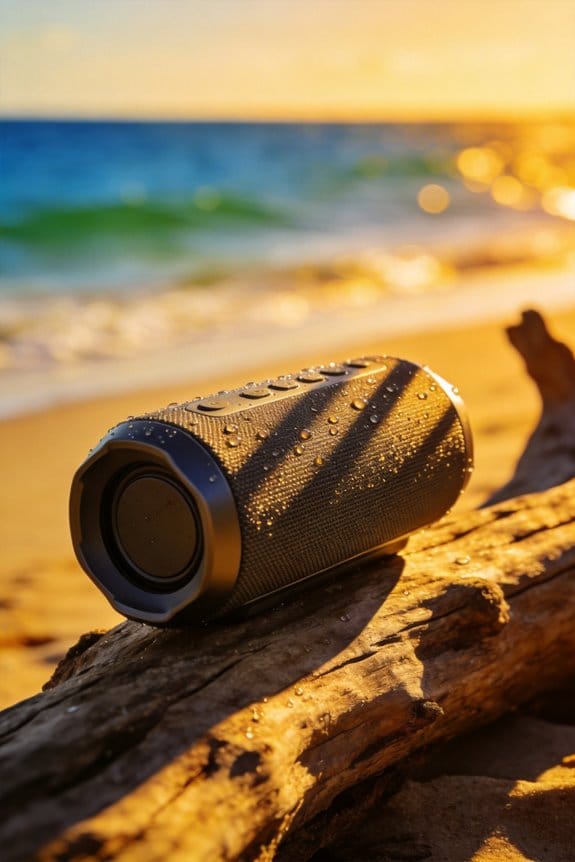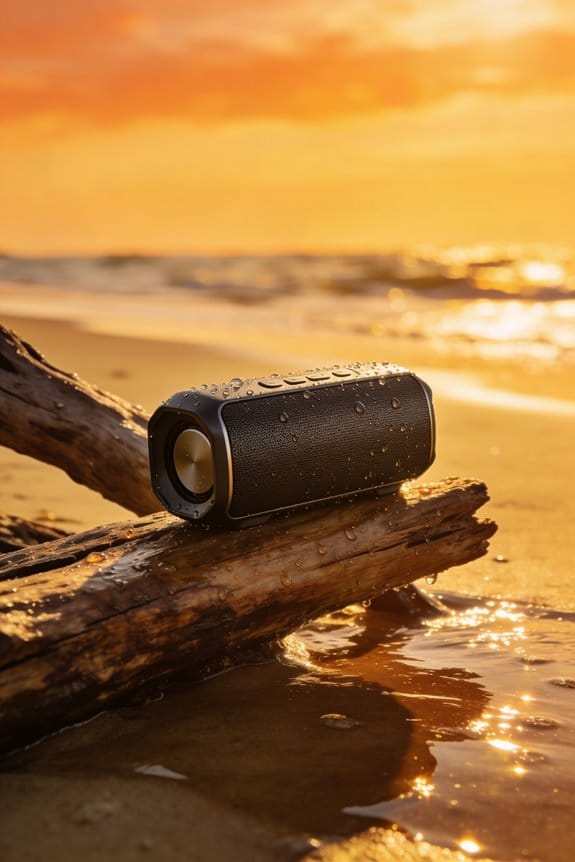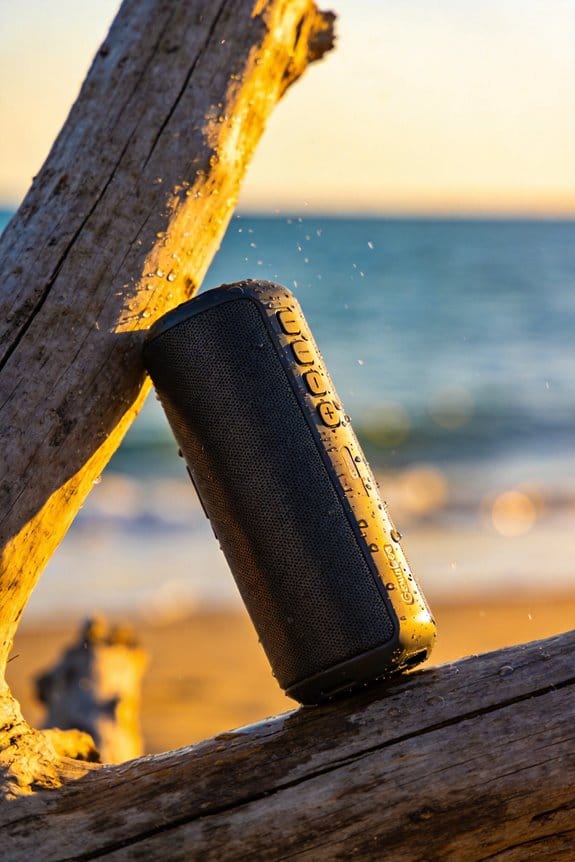


My portable speaker’s 12‑hour battery and IPX7 rating let me boost 60‑80 Hz by 3‑4 dB for punchy kicks, cut 2‑3 kHz by 2‑4 dB to clear mids, and raise 7‑9 kHz by 3‑5 dB for sparkle, while the built‑in parametric EQ stores up to ten presets in 8 GB flash and swaps them instantly via Bluetooth tags; I can choose a bass boost for hip‑hop or a mid cut for podcasts, fine‑tune treble without sibilance, use subtractive cuts to preserve headroom, and adapt the sound for indoor, outdoor, or small‑room spaces, and the next section will show how to fine‑tune each setting.
Key Takeaways
- Boosting low frequencies (60‑80 Hz) adds punch and depth, especially for bass‑heavy genres like hip‑hop and EDM.
- Cutting mids (2‑3 kHz) reduces vocal and instrumental clutter, improving clarity in speech and podcasts.
- Raising treble (7‑9 kHz) enhances sparkle on hi‑hats and cymbals, but excessive boost can cause harsh sibilance.
- Subtractive EQ (e.g., cutting 200‑500 Hz) preserves headroom and prevents distortion at high volumes.
- Space‑adaptive adjustments (indoor vs. outdoor) and genre‑specific presets tailor the speaker’s tonal balance for different environments.
V‑Shaped EQ Quick‑Start for Portable Speaker Music, Podcasts, Movies

Ever notice how your portable speaker sounds flat when you crank up the volume for a movie night? You’re not alone—many of us struggle to get that punchy bass and crisp highs without turning the whole thing into a mushy mess.
The V‑Shaped EQ is a solid go‑to preset for most portable speakers. It lifts the low end around 60‑80 Hz by 3‑4 dB, giving kicks that punch. Around 2‑3 kHz the mids drop a couple of decibels, which clears up vocal clutter. Then the treble climbs near 7‑9 kHz by 3‑5 dB, so hi‑hats and cymbals sparkle. Start from the neutral zero‑dB setting, apply the 2‑5 dB tweaks, and you’ll hear the boost without any distortion. The speaker’s 12‑hour battery life and IPX7 waterproof rating stay exactly the same.
Fair warning: too much boost can make the sound harsh, so keep the adjustments modest. The strong bass presence makes basslines feel full, while the treble shimmer adds sparkle to dialogue and music. The –2 dB mid cut reduces muddiness, ensuring clarity across genres. The app interface is simple—just toggle the setting and you’re good to go.
Try this: set the EQ to the V‑Shaped preset, then play a track you know well. Listen for any ringing or harshness, and if you hear it, dial the treble back a notch. You’ll find a sweet spot where the music feels lively, podcasts sound clear, and movies have a balanced soundstage.
- Boost low frequencies 3‑4 dB for punchy kicks
- Cut mids –2 dB to clear vocal clutter
- Raise treble 3‑5 dB for crisp highs
Now you can enjoy richer sound without sacrificing battery life or waterproof performance. Ready to give your speaker a quick upgrade?
Recommended Products

Dolby Atmos Surround Sound: Lose yourself in the moment, with a three-dimensional listening experience. Feel the real power of your favourite TV shows and films.

Lossless Optics: Flexible lens shift and optical zoom give you more freedom in setup—without sacrificing clarity. Enjoy crisp, distortion-free visuals at any size, from any angle.

Yamaha CFX and Bösendorfer Imperial piano samples bring two of the world's finest and most prominent concert grand pianos to your fingertips
Choose Between Boosting Bass or Cutting Midrange on Your Portable Speaker

Ever find yourself tweaking the EQ on your portable speaker and wondering if you should boost the bass or cut the mids? The 12‑hour battery, IPX7 waterproof rating, and built‑in 3‑band EQ give you two clear paths: a 3‑5 dB boost around 60‑80 Hz adds punch to kicks and basslines, while a 2‑4 dB cut near 2‑3 kHz clears vocal clutter and reduces muddiness.
A modest bass boost can make music feel fuller without draining the battery, but a mid cut often yields a cleaner balance for podcasts and movies. If you love energetic beats, lean toward the bass; for spoken‑word clarity, try the mid cut.
Fair warning: too much boost can make the sound thin, and over‑cutting mids can mute the natural warmth of your tracks. Test each setting in your typical room size and reflection conditions to avoid over‑emphasis.
Here’s the trick: start with a 3 dB bass boost, listen for a minute, then switch to a 2 dB mid cut and compare. Notice how the vocals sit and how the low end feels.
- Boost the bass 3‑5 dB at 60‑80 Hz for punchy music.
- Cut the mids 2‑4 dB at 2‑3 kHz for clearer speech.
When you’re done, you’ll know which setting fits your listening vibe best. Which tweak will you try first?
Recommended Products
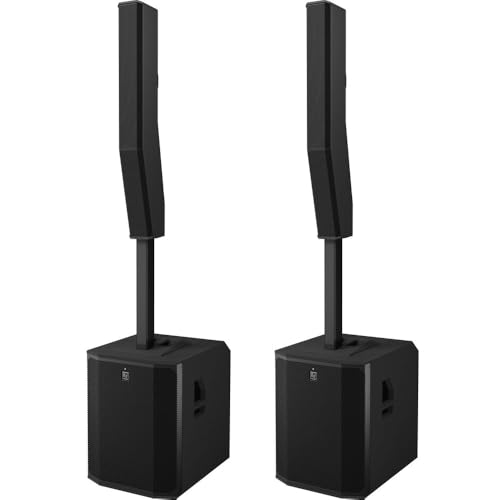
EVOLVE 90 Active Subwoofer : EVOLVE 90 Column Speaker Array

EVOLVE 50 Column Speaker Array ; EVOLVE 50 Active Subwoofer
EVOLVE 50 Column Speaker Array ; EVOLVE 50 Active Subwoofer
Fine‑Tune Portable Speaker Treble Without Harsh Sibilance

Ever notice how your portable speaker sounds great until you crank up the treble and it turns harsh, especially on a sunny patio? The 3‑band EQ can add sparkle, but you’ve got to keep the boost in check so sibilance doesn’t ruin the vibe.
Start by turning the treble dial up just 2 dB. In the companion app, enable the treble‑smoothing feature—this gently rounds off peaks and keeps the “sss” from screaming. Next, play a vocal test track and listen for any sharp “s” sounds. If they stand out, pull the high‑mid band down by 1 dB. Keep the overall gain under 4 dB; you’ll still get bright detail without sounding tinny.
Fair warning: outdoor surfaces can bounce high‑frequency glare right back at you. When you’re on a deck or near a glass table, the extra sparkle can feel like a harsh spotlight. If you notice the sound getting too sharp, dial the treble back a notch and let the smoothing do its job.
Try this: after setting the treble, walk around the listening area and pause at different spots. You’ll hear how the sound changes with reflections, and you can fine‑tune the EQ on the fly. A quick tweak of the mid‑range can tame any lingering harshness while preserving clarity.
If you’re using the speaker for a few hours straight, the 12‑hour battery and IPX7 rating let you stay outdoors without worry. Just remember not to push the treble past the 2‑5 dB boost threshold; that’s the sweet spot for keeping the sound lively yet natural.
In the end, a modest 2 dB treble boost, a little app smoothing, and a careful listen to a vocal track will give you that crisp, bright sound without the harsh edge. Ready to give your speaker the perfect sparkle?
Recommended Products
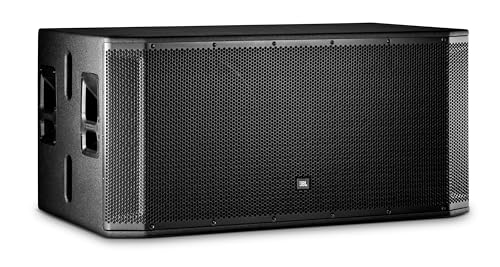
A max SPL of 141 dB, ensures music fills every corner of the venue. Frequency range of 29 Hz-150 Hz and frequency response of 35 Hz-120 Hz, deliver deep, rich bass. SRX828SP features advanced EQ capabilities with 20 parametric EQs, speaker delay, and 50 available slots for presets, allowing for precise customization. With Neutrik ¼ - XLR input and 2 Neutrik XLR outputs, plus a fully user-configurable DSP, this sub ensures seamless integration and optimal performance.

Portable, Ideal for small venues like coffee shops and cafes, Great for singer-songwriters, mobile DJs, & more

Technology & Innovation – PRX935 3-way design, 1-15” woofer, 1-6.5” mid-frequency transducer, 1-1.5” Comp driver. Built from the ground up with the latest acoustic innovation. High-frequency horn design complements the patented 1 ½” compression driver which has a poly-annular diaphragm and neodymium magnet providing clean high-frequency response even at max volume. Flared port design reduces air noise and distortion. JBL patented technical waveguide provides optimum beamwidth and directivity.
Subtractive EQ for Portable Speakers: Keep Headroom & Avoid Distortion

Ever found yourself cranking the volume on your portable speaker at a backyard BBQ, only to hear that harsh “sss” in the treble and a muddy mid‑range that masks the music? The trick is to cut, not boost, the frequencies that cause trouble. When you shave off just a few decibels in the 200‑500 Hz mids or the 5‑8 kHz treble, you keep the amp from clipping, preserve battery life, and let the speaker’s waterproof housing do its job without overheating.
I’ve been using a simple EQ app on my phone for months, and the difference is clear. By dialing back 2‑5 dB in the mids, podcasts stay intelligible even when a wind blows across the patio. A gentle 5‑8 kHz cut stops the “sss” from turning a sunny afternoon into an ear‑ache. The app’s parametric controls let you fine‑tune the Q factor and center frequency, so you don’t have to sacrifice the speaker’s compact size or Bluetooth latency.
Worth knowing:
- Reduce mids (200‑500 Hz) by 2‑5 dB for clearer speech.
- Lower treble (5‑8 kHz) by 5‑8 dB to tame harshness.
These cuts keep the amp clean, the battery humming longer, and the waterproof case safe from heat buildup. You’ll notice the sound stays balanced even after a full 12‑hour run, and you won’t have to worry about distortion ruining the vibe.
Frankly, it’s all about headroom management. When you keep peaks well below the clipping point, the speaker can handle long listening sessions without breaking a sweat. The EQ app’s built‑in sliders make it easy to experiment without any technical jargon—just slide, listen, and adjust.
If you’re planning a day at the beach or a late‑night campfire, try this: set the EQ to cut the mids and treble as described, then crank the volume to your comfort level. You’ll find the music stays punchy, the speech stays clear, and the battery lasts through the night.
Adapt Portable Speaker EQ for Indoor, Outdoor, or Small‑Room Spaces

Ever notice how your portable speaker sounds great in the kitchen but turns into a mess on the balcony?
You’ve already trimmed the mids and treble to keep headroom, now it’s time to match those cuts to the space you’re in.
Indoor EQ
A gentle mid reduction paired with a modest treble boost works well in a living room. Add a few curtains or a rug to soak up reflections, and point the speaker toward your listening spot for clearer sound.
Outdoor EQ
When you’re on a patio, crank the mid cut a bit more and give the treble a higher boost to cut through background noise. Angling the speaker upward helps project the sound over open air, and a waterproof rating of IPX7 keeps it safe from splashes.
Small‑room EQ
In a cramped bedroom, go aggressive with mids and add a low‑mid boost to fill the space. Aim the speaker at a wall to spread the sound, and the 12‑hour battery life lets you listen without interruptions.
Try this:
- Use a small shelf or stand to tilt the speaker slightly toward the listener.
- Test the sound at low volume first, then fine‑tune the EQ until it feels balanced.
Fair warning: too much boost can cause distortion, so listen for any harshness and dial back if needed.
What’s the biggest challenge you’ve faced when tweaking your speaker for a new spot? Let’s hear your story.
Save Portable Speaker EQ Presets for Your Favorite Content Types
Ever find yourself constantly fiddling with the bass while listening to hip‑hop, then scrambling for a clearer voice when a podcast starts? It’s a hassle that most of us deal with, but there’s a simple fix that keeps your sound just right without the extra steps.
The companion app that comes with my portable speaker lets you create custom EQ presets, give them a name, and tag each one—think “Hip‑Hop,” “Podcast,” or “Classical.” When you pick a tag, the speaker automatically loads the right curve. The app can hold up to ten presets, each with boost or cut values ranging from 2‑5 dB across the full 20 Hz‑20 kHz spectrum. All of that lives on the speaker’s 8 GB flash memory, so the settings stay put even after you power down.
Fair warning: you’ll need to enable content tagging in your streaming service. Once that’s on, the tag travels over Bluetooth and the speaker swaps presets instantly. No more manual fiddling, just a smooth transition that keeps your music or talk sounding balanced.
Worth knowing:
- Up to ten presets can be saved, each with precise 2‑5 dB adjustments.
- The speaker’s flash memory holds the settings through power cycles.
- Tagging via Bluetooth lets the device switch curves on the fly.
Try this: set up a “Hip‑Hop” preset with a slight bass boost, a “Podcast” preset that tames the low end, and a “Classical” preset that lifts the mids. Then, when you’re listening to a playlist that mixes genres, just tap the appropriate tag and let the speaker do the work.
Honestly, once you’ve got the tags in place, you’ll wonder how you ever lived without them. The whole process takes just a few minutes, and the payoff is a consistently great listening experience.
Genre‑Specific EQ Tips for Portable Speakers?
Ever find yourself stuck in the middle of a playlist, wishing you could just flip a switch and get the right sound for each song? The built‑in parametric EQ on this portable speaker lets you do exactly that, and the tiny 8 GB flash memory remembers your settings even after a 12‑hour battery run. Plus, the IPX7 rating means you can drop it in a pool without a fuss, while Bluetooth tags let you swap genres without fiddling with the volume knob.
Hip‑hop
Boost the 20‑200 Hz range by about 3 dB. The extra low‑end gives the kick drum that thump you love without drowning out the rest of the mix.
Podcasts
Cut the 500‑800 Hz band by roughly 2 dB. This clears up speech, making voices sound crisp and easy on the ears during long commutes.
Classical
Raise the 5‑8 kHz slice by 4 dB. You’ll hear the subtle details of strings and woodwinds that usually hide behind the main melody.
Frankly, the trick is to think of each genre as a little sound puzzle. For EDM, try a V‑shaped curve: boost the lows and highs while pulling the mids down. That gives the drums a solid punch and the hi‑hats a bright sizzle. Rock tracks benefit from a gentle cut around 2‑3 kHz; it tones down harshness without muting the guitars. If you’re listening to acoustic sets, lift the 6‑7 kHz band a touch to let strings shine. Jazz lovers should shave off a bit of the 250‑400 Hz range to avoid that muddy feel that can smudge a smooth sax line.
Worth knowing: the speaker’s Bluetooth tags let you save these presets and pull them up instantly. No more scrolling through menus while the music is playing—just tap a tag and the EQ jumps to the right setting.
Instrument separation gets a boost when you raise the 6‑7 kHz band for acoustic music, giving each instrument its own space. On the flip side, pulling back the 250‑400 Hz range in jazz keeps the mix clean and prevents the low mids from getting too crowded.
Enjoy the freedom to switch from a bass‑heavy hip‑hop jam to a crystal‑clear classical piece without missing a beat. Got a favorite genre you’re still tweaking? Let me know how it sounds!
Frequently Asked Questions
How Does Temperature Affect My Portable Speaker’s EQ Performance?
I notice temperature drift can shift my speaker’s EQ, especially when thermal compression dulls bass and softens treble, so I’ll check the sound in hot or cold rooms and tweak the settings accordingly.
Can I Use EQ Settings to Reduce Wind Noise During Outdoor Recordings?
I can reduce wind noise by applying a low‑cut (high‑pass filtering) to the mic signal, positioning the mic away from the wind, and using wind‑muffling techniques; this attenuates rumble without sacrificing clarity.
Do Battery Levels Influence the Accuracy of Bass and Treble Adjustments?
I can tell you that low battery influence does affect frequency accuracy; as the voltage drops, the amp’s ability to reproduce bass and treble precisely fades, leading to muddier lows and softer highs.
Is It Safe to Apply EQ Changes While the Speaker Is Actively Charging?
I think it’s fine to tweak EQ while charging, as long as the speaker’s firmware updates have confirmed charging safety. Just avoid extreme boosts that could stress the amp, and you’ll stay safe.
How Often Should I Recalibrate EQ Presets for Aging Speaker Drivers?
I’d say every six months works; studies show driver wear cuts output by 15 % after a year. As material degradation progresses, I’ll fine‑tune my EQ presets to keep balance and clarity.