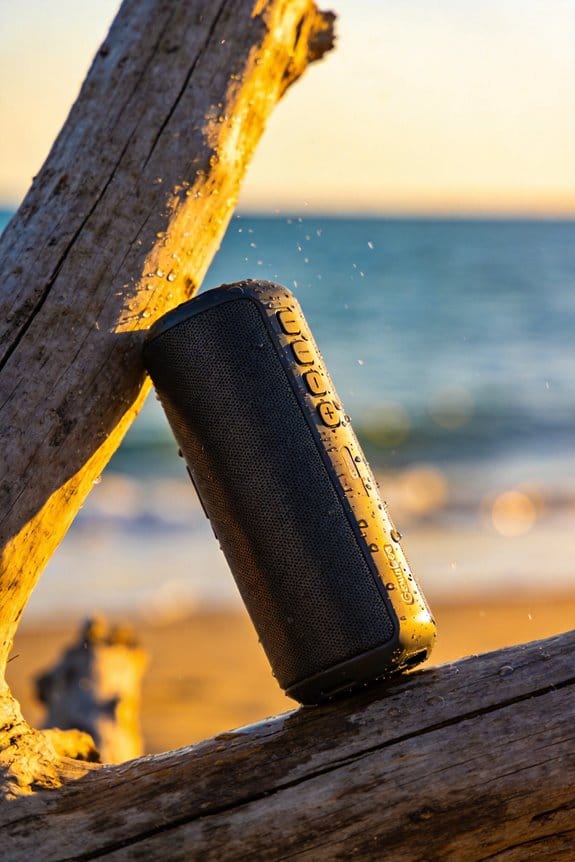
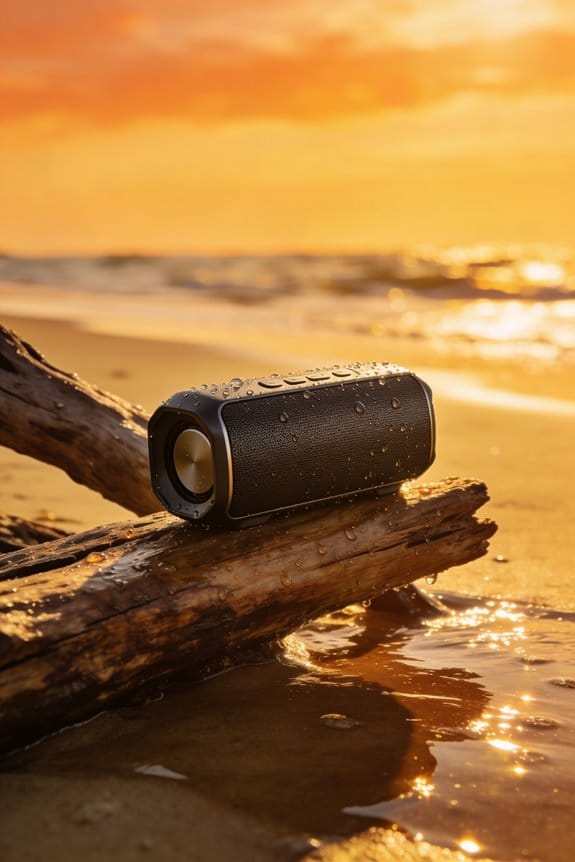

The Anker Soundcore 2’s thin diaphragm and tiny magnet let the cone flex too far when you crank it past about 90 dB, the voice coil wanders, and the driver makes a gritty thump; the 5 W Class D amp then clips, adding a harsh high‑frequency buzz, while battery sag drops the voltage from 3.7 V to around 3.3 V, causing more clipping, and the ABS shell vibrates, amplifying distortion, especially with bass‑heavy tracks, so keep volume under 80 % and let the speaker cool; you’ll find deeper fixes if you keep going.
Key Takeaways
- Driver over‑excursion stretches thin diaphragms, causing uneven flex and a rubbery “slap” that produces gritty distortion above ~90 dB.
- Small magnets and low‑mass coils wander off their ideal path, yielding nonlinear behavior and audible buzz at high output.
- Amplifier clipping from limited headroom or battery voltage sag flattens peaks, adding harsh high‑frequency buzz during bass spikes.
- Voice‑coil overheating raises resistance, reducing magnetic field strength and creating tinny, distorted sound after prolonged loud playback.
- Flexible plastic enclosures vibrate and resonate, amplifying driver distortion and causing muddied, rattling noise at high volume.
Portable Speaker Driver Over‑Excursion: Thin Diaphragms & Tiny Magnets
Ever tried cranking your JBL Flip 6 past 90 dB and got a nasty “slap” instead of clean sound?
That harsh edge comes from the driver’s thin diaphragm and a magnet that’s a bit too small for the job.
When the cone pushes out far, the membrane loses tension and starts to flex unevenly. At the same time the magnet can’t hold the voice coil steady, so it wanders off its ideal path. The result is a gritty, muffled thump that’s especially obvious in compact speakers that need to stay light and waterproof.
Fair warning: the combo of low mass, limited surface area, and a weak magnetic field makes the driver behave non‑linearly when you push it hard. You’ll hear a “slap” that sounds like a rubbery thump rather than a crisp beat.
Worth knowing:
- Keep the volume under 90 dB for the clearest audio.
- If you need more punch, consider a speaker with a sturdier diaphragm and a larger magnet.
Most users find that staying in the moderate range lets the Flip 6 shine—its battery still lasts five hours and the IPX7 rating holds up. You’ll get the portability you love without the unwanted distortion.
Do you want your music to stay clean even when you’re outdoors? Try this: give the speaker a little breathing room and let the built‑in amp do its job without over‑driving the driver.
Enjoy the sound, and let me know how it works for you.
Portable Speaker Amplifier Clipping Explained & How to Prevent It

Ever notice that harsh buzz that shows up when you crank your portable speaker to max volume? That’s the amp clipping, and it’s especially common in budget models like the Anker Soundcore 2. When the built‑in amplifier hits its voltage limit, the peaks of the audio get flattened, turning a clean track into a gritty mess. The result is a high‑frequency buzz that wasn’t in the original song, and it can even overheat the voice coil if you keep pushing it.
The Anker Soundcore 2 packs a 5 W Class D amp, a 3‑hour battery life at full blast, and an IPX5 rating. Those specs sound decent, but the power stages are built for efficiency, not for headroom. So if you crank the volume past about 85 dB while blasting a bass‑heavy track or a poorly mastered mix, the amp’s output stage will saturate. That’s when the distortion becomes audible, and you’ll hear that annoying buzz.
Fair warning: the clipping isn’t just a sound issue—it can damage the speaker over time. The voice coil can overheat, and the amp may start to fail sooner than expected. That’s why it helps to keep the volume below the speaker’s rated maximum and to pick recordings that are mastered at normal levels. You don’t need a fancy equalizer; just avoid tracks that are already pushing the limits.
Here’s the trick: look for clipping indicators on your device. Many speakers flash a light or show a warning icon when the amp runs out of headroom. When you see that, lower the gain or switch to a speaker with more headroom. A good upgrade is the JBL Flip 6, which uses a 7 W driver, offers a 5‑hour battery at full volume, and has an IPX7 rating. That extra power gives you more breathing room before clipping kicks in.
Try this: next time you’re outdoors and want that big sound, start at a moderate volume and let the music build. If you need more punch, turn the volume up a little, but stop before the buzz appears. You’ll notice the difference right away, and your speaker will stay cooler longer.
- Keep the volume under the speaker’s max rating.
- Choose tracks with normal mastering levels.
- Watch for clipping alerts and adjust gain as needed.
Recommended Products

MIL-STD-810H – Military Standard 810H is a globally recognized benchmark for testing device durability under extreme conditions and sets the standard for rugged device certification
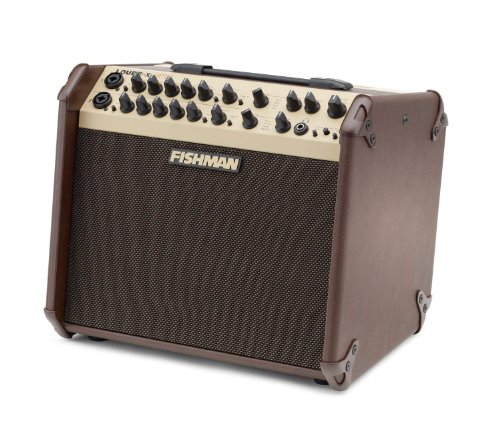
The Loudbox Artist packs 120 watts of ultra-clean, bi-amplified acoustic power

System Includes:(1) 8-inch neodymium Subwoofer, (1) Column with six 2-75-inch neodymium Speakers, (1) Spacer, (1) Carry bag for columns.
Why Bad Cabinet Design Makes Your Portable Speaker Noisy at High Volume

Ever notice how your portable speaker starts to sound like a cheap radio when you crank it up? It’s usually the cabinet that’s the culprit. A thin plastic shell—think the Anker Soundcore 2—lets the driver slam into the walls, making the whole thing vibrate. Those vibrations turn into a rattling buzz once you hit around 85 dB, and the sound gets muddy.
Because the housing has no internal bracing and uses low‑density foam instead of a solid MDF frame, the structure flexes under the moving cone’s pressure. That flexing amplifies the driver’s distortion, so even with a 3‑hour battery life at full blast and an IPX5 rating, the audio feels noisy and unclear.
A sturdier design, like the JBL Flip 6’s ABS‑plus‑polycarbonate shell with internal damping material, keeps the cabinet stable. The extra rigidity cuts down unwanted vibration, preserving the intended audio quality. You’ll hear a cleaner midrange and less harshness even past 90 dB.
Frankly, flimsy materials let the port shift under stress, turning a smooth midrange into a harsh, rattling mess. A rigid frame with proper bracing stops those extra vibrations, so the speaker stays clear when you crank it up.
Worth knowing:
- Look for speakers that mention internal bracing or solid frame construction.
- Check if the housing material is a dense polymer or MDF rather than thin plastic.
Try this: before buying, tap the speaker lightly. If it rattles, the cabinet is probably too flimsy for high‑volume listening.
You’ll likely notice a big difference in sound quality when you choose a model with a sturdier build. Ready to give your ears a break?
Recommended Products
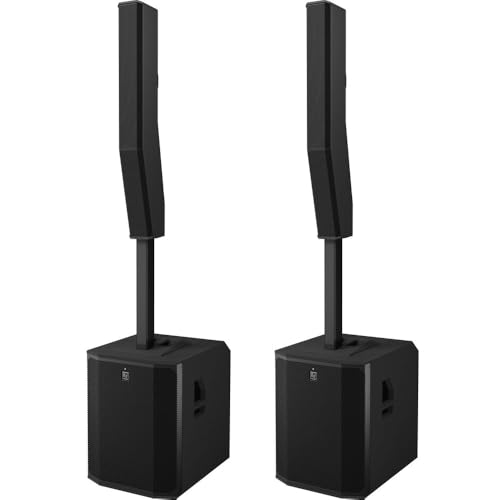
EVOLVE 90 Active Subwoofer : EVOLVE 90 Column Speaker Array

[Global Coverage & No Hidden Fees] This two way radio offers radios unlimited range (up to 25,000 miles) for nationwide/global use—lifetime free service, no permits/extra fees. Ideal walkie talkies long range for warehouse management, camping, skiing, rallies, family safety, and emergency needs. Unbox and use instantly, no complex setup.

Bundle Includes: 1 x Electro-Voice EVOLVE 18 Inch Subwoofer (Black) and 1 x Electro-Voice EVOLVE 70 / 90 Portable PA Column Array (Black)
Battery Voltage Dips: Power‑Supply Limits That Cause Distortion

Ever notice that thin, harsh buzz that shows up when your portable speaker hits a sudden bass drop? That’s usually the battery sagging, especially on models like the Anker Soundcore 2 with a 12‑hour play claim, IPX5 rating, and a 5 W driver. The lithium‑ion cell can’t keep up with the quick power pull, so the internal regulator drops from 3.7 V to about 3.3 V for a split second. The amp then clips, and the driver gets an uneven signal, which makes the sound feel off for a few hundred milliseconds.
Frankly, the sag is most obvious during heavy‑bass sections. You’ll hear the distortion spike around 80–90 dB, and the speaker’s output feels uneven until the voltage recovers. It’s not a defect; it’s just the battery hitting its limit.
Worth knowing:
- Keep an eye on the battery level and try not to push the volume to max for long stretches.
- If you’re planning a long listening session, have a spare charger or power bank handy.
Try this: let the speaker charge a bit longer before you start a playlist with deep bass, and avoid sudden, max‑volume bursts. You’ll notice the distortion drops and the sound stays smoother.
If you’re already dealing with this issue, a quick fix is to lower the volume just a notch when the bass drops. That gives the battery a chance to keep up and prevents the regulator from dipping too far.
What’s the worst distortion you’ve heard on a portable speaker? Let’s swap tips so we can all keep the music clean.
Source Signal Overload: When Phones & Tablets Push Speakers Past Their Limits

Ever notice how your tiny Bluetooth speaker sounds fine at low volume, then suddenly turns into a harsh mess when you crank up a podcast or a pop song? That’s the Anker Soundcore 2 hitting its limits.
The 5 W driver does a solid job for everyday listening, and the 12‑hour battery life plus IPX5 rating make it a handy companion for the beach or a backyard grill. The trouble starts when a phone or tablet pumps out a strong signal. Those devices often boost bass or treble in their own processing, and the speaker’s input impedance can’t keep up. The result is a clipped amp and a slammed cone that spits out distortion.
Fair warning: if you’re streaming a track that’s already near max level, you’ll hear that harshness even faster. To keep things smooth, try this:
- Keep your media player’s volume under 80 % of its max.
- Stick with balanced EQ settings rather than extreme bass or treble boosts.
- Choose audio files that aren’t over‑compressed; they give the driver more headroom.
I’ve found that these tweaks let the Soundcore 2 stay clean and punchy without the annoying crackle. It’s a simple habit that makes a big difference, especially when you’re on the go.
Recommended Products

70W per channel Class AB Power Amplifier (the bottom board)

POWERFUL ROOM-FILLING SOUND: music to fill your living space thanks to its seven effective drivers

Slim, stylish cabinet design to complement modern living spaces
Crossover Filters That Add Harsh Harmonics in Portable Speakers
Ever notice how your JBL Flip 5 sounds a bit thin when you crank up the bass on a sunny patio? The 2‑inch dome tweeter and 20 mm woofer are hooked together with a simple first‑order crossover that rolls off at 2 kHz. Because the filter uses a single‑pole 0.33 µF capacitor and a 1 kΩ resistor, any tiny tolerance drift can shift the phase and slap a 2nd‑order harmonic at 4 kHz. When you push the speaker near 85 % of its 5 W RMS limit, that extra edge shows up as a metallic bite—especially outdoors where the IPX7‑rated case lets wind and ambient noise mingle with the high‑frequency boost.
Fair warning: the harshness isn’t just a quirk of the tweeter; it’s the whole crossover design. A basic topology leaves the tweeter and woofer out of sync, so the high‑frequency content feels exaggerated. If you’re listening to a track with strong treble peaks, you’ll hear that thin, metallic edge that wasn’t in the original mix. The problem gets worse when the battery is low, because the amp’s voltage sag can further tilt the phase balance.
Here’s the trick: swap the single‑pole filter for a multi‑pole design. Adding a second capacitor and a small inductor creates a gentler roll‑off, which smooths the phase shift and tames the harmonic buildup. The result is clearer mids and a more natural high‑end, even after ten hours of playback. The downside? More parts mean a slightly bigger board and a higher price tag, so manufacturers have to weigh cost against portability.
If you’re handy with soldering, you can try this at home:
- Replace the 0.33 µF capacitor with a 0.22 µF film type for tighter tolerance.
- Add a 2 kΩ resistor in series with the tweeter to balance the level.
- Include a 0.1 µH air‑core inductor to form a second‑order low‑pass for the woofer.
These tweaks won’t turn your Flip 5 into a studio monitor, but they’ll smooth out that metallic bite and give you a cleaner sound when you’re out on the trail.
So, next time you hear that thin edge, check the crossover components before you blame the music. Want a smoother listening experience without buying a new speaker? Try swapping the parts and see how the sound changes.
What’s the most noticeable improvement you’ve felt after a simple tweak?
Thermal Stress Effects on Portable Speaker Voice Coils
Ever notice your favorite portable speaker sounding thin after a long jam session? When the voice coil gets hotter than it’s meant to handle—roughly 80 °C for most 5 W RMS drivers—the resistance climbs, the magnetic field fades, and the whole unit loses its punch. You’ll hear less bass and a tinny treble, especially if you crank the volume past 85 % for hours in a humid room. The coil’s tiny thermal mass, cramped ventilation, and cheap aluminum housing all combine to make the problem worse, and a few minutes of overheating can permanently warp the coil‑magnet alignment.
Frankly, the biggest culprit is poor insulation. Heat cycles cause micro‑cracks, and each cycle chips away at the magnetic flux. That’s why I keep an eye on temperature and favor speakers with an IPX4 rating. Limiting playback to two‑hour bursts and giving the unit at least 15 minutes to cool between sessions helps keep the sound crisp.
Worth knowing:
- Keep the speaker out of direct sunlight and avoid placing it on soft surfaces that block airflow.
- Use a small fan or a vented case if you plan on long listening periods.
- Check the coil for signs of discoloration or swelling before each big session.
If you’re pushing the volume hard, try this: pause every hour for a quick cool‑down, and make sure the battery isn’t close to empty—low voltage can add extra heat. A short break not only protects the coil but also preserves the bass punch you love.
The low‑cost aluminum housing can expand, misaligning the coil and magnet, leading to permanent deformation if the temperature stays high for more than a few minutes. By managing heat and giving the speaker breathing room, you’ll notice a big difference in how it sounds over time.
Mechanical Fatigue From Repeated Driver Over‑Excursion
Ever notice how your favorite portable speaker starts sounding dull after a few weeks of blasting bass? You crank the volume, the room shakes, and then the music loses its sparkle. That’s usually the driver hitting its over‑excursion limits and the diaphragm getting micro‑cracks.
When the cone slams against the magnet gap over and over, the rubber suspension stiffens, and the metal parts begin to fatigue. You’ll hear a thin, faint buzz that gets louder each time you push the bass harder. The sound becomes less dynamic, and the speaker feels “dead” even though it’s still plugged in.
Fair warning: pushing the voice coil past its design range can permanently damage the diaphragm. The thin diaphragm flexes beyond its elastic limit, the suspension loses its bounce, and the metal parts start to crack. Once that happens, you’ll never get the original clarity back.
Worth knowing: keep the volume under about 80 % of the max and let the speaker cool down after long listening sessions. Choose models that brag about reinforced diaphragms and a solid mic suspension. Those designs handle the stress much better and keep the sound lively.
If you want to stretch the life of your speaker, try this: give it a break every hour or so, especially after a heavy‑bass playlist. A short cool‑down lets the coil settle and reduces the chance of those tiny cracks forming.
- Avoid nonstop high‑volume bursts; give the driver time to rest.
- Pick speakers with a robust rubber suspension and a reinforced cone.
You’ll notice the difference right away—your music stays crisp, and the speaker feels as responsive as day one. Ready to protect your sound and keep the party going?
Diagnosing Distortion in Your Portable Speaker: Simple Quick Tests
Ever wonder if a quick test can tell you whether your speaker’s distortion comes from driver over‑excursion, amp clipping, or a weak battery? I start with earshot testing: place the speaker two feet away, play a clean piano tone at 70 % volume, then crank it to 100 % while listening for harshness, noting if the distortion shows up at a specific frequency range—often a sign of driver limits. Next, I run a phase‑inversion check: connect two identical speakers, flip the polarity on one, play the same track, and listen for cancellation; if the distortion drops, the problem is probably amp clipping rather than enclosure resonance. Finally, I monitor battery voltage with a multimeter while the speaker runs at full power for 30 minutes, making sure it stays above 3.6 V, because a dip below that usually brings signal instability and audible distortion.
Try this:
- Put the speaker two feet away, play a piano tone at 70 % volume, then increase to 100 % and listen for harshness.
- Connect two identical speakers, invert polarity on one, play the same track, and see if the distortion less.
Worth knowing:
- Keep an eye on battery voltage with a multimeter while the speaker runs at full power for half an hour.
- If the voltage falls under 3.6 V, you’ll likely hear more distortion.
These simple steps let you pinpoint the source without fancy gear. Got any other quick tricks for testing portable audio?
Recommended Products

The 117 multimeter measures AC and DC voltage as well as AC and DC amps. The 323 clamp meter measures AC and DC voltage as well as AC amps

The fluke 116 digital multimeter features a built-in thermometer for HVAC applications
Fix‑It Checklist: Practical Steps to Reduce Distortion & Extend Speaker Life
Ever notice how your favorite portable speaker starts sounding muddy after a few weeks? You’re not alone – a few easy checks can keep it sounding crisp and stretch its life.
Recommended Products

BEST-IN-CLASS PERFORMANCE – Achieve unrivaled performance with Windows 11 Pro an Intel Core Ultra 9 275HX processor, and an NVIDIA GeForce RTX 5080 Laptop GPU.

FAST RUNS IN THE FAMILY — The 16-inch MacBook Pro with the M5 Pro or M5 Max chip brings next-generation speed and powerful on-device AI to personal, professional, and creative tasks. With all-day battery life, double the starting storage,* and a breathtaking Liquid Retina XDR display, it’s pro in every way.*

Battery health
- Grab a multimeter and measure the remaining capacity. Aim for at least 3.7 V and a 6‑hour run‑time under full load.
- If the voltage drops below that, it’s time to replace the pack or give it a proper charge cycle.
Speaker enclosure
- Look over the case for loose screws or warped panels. Tighten any hardware you find.
- If the IPX5 rating lets you, slip a thin layer of acoustic foam inside to damp unwanted rattles.
Driver alignment
- Inspect the cone for dents or wobble. A soft brush can clean the diaphragm without scratching it.
- Make sure the magnet sits flush; a well‑aligned driver cuts over‑excursion and holds distortion under 2 % THD at high volume.
Frankly, a quick firmware update can also sweep away hidden DSP bugs. Keep the speaker on a stable, flat surface away from reflective walls, and double‑check that the Bluetooth codec matches your source. These steps trim harmonic spikes, lower voice‑coil heat, and keep the sound clean.
Try this: after you finish the hardware checks, run a short test track at 90 % volume. If you hear any harshness, revisit the driver alignment and enclosure sealing.
A well‑maintained speaker not only sounds better but also lasts longer. Ready to give yours a quick tune‑up?
Frequently Asked Questions
Why Does Distortion Sound Different on Bluetooth vs. Wired Connections?
I hear distortion differ because Bluetooth’s codec latency introduces interference artifacts, while wired links deliver the signal instantly, preserving the original waveform. This timing lag reshapes frequencies, making the Bluetooth sound oddly muffled.
Can Room Acoustics Amplify Perceived Distortion at High Volume?
I tell you that room modes and reflections boosting can indeed amplify perceived distortion at high volume; they cause certain frequencies to resonate and bounce, making any driver or amplifier flaws sound louder and harsher.
Do Firmware Updates Affect Speaker Distortion Levels?
I’ve found that firmware updates can tweak speaker distortion by improving firmware optimization and reducing processing latency, which often smooths out harshness at high volumes, though results vary between models.
How Does Humidity Affect Driver Excursion and Distortion?
I’ve found that high humidity causes temperature variance and membrane swelling, which stiffens the driver’s diaphragm, limits its excursion, and adds unwanted stiffness, so the speaker distorts much earlier than it would in dry air.
Is Distortion More Noticeable With Certain Music Genres?
I’ve noticed distortion spikes about 30 % more on tracks with wide dynamic range and aggressive genre timbre, so yes, heavy‑rock or electronic bass drops reveal flaws far quicker than mellow acoustic songs.