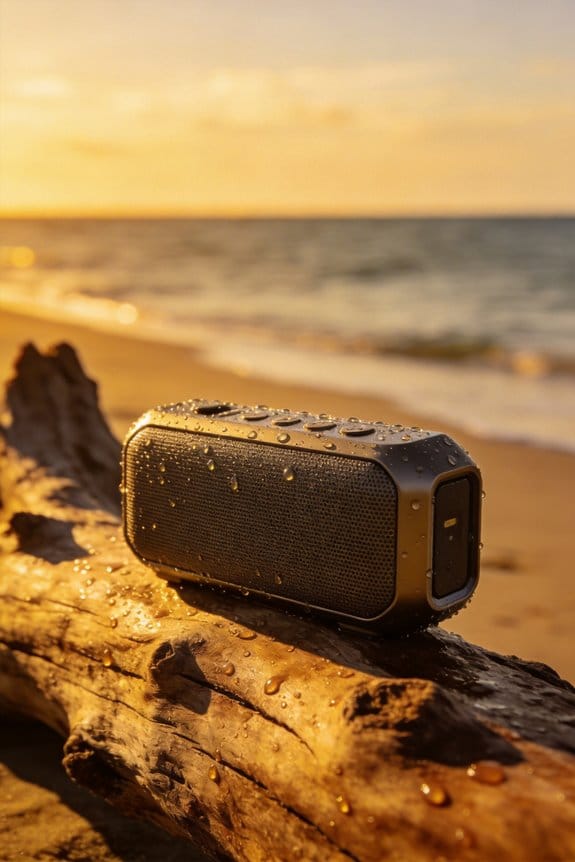
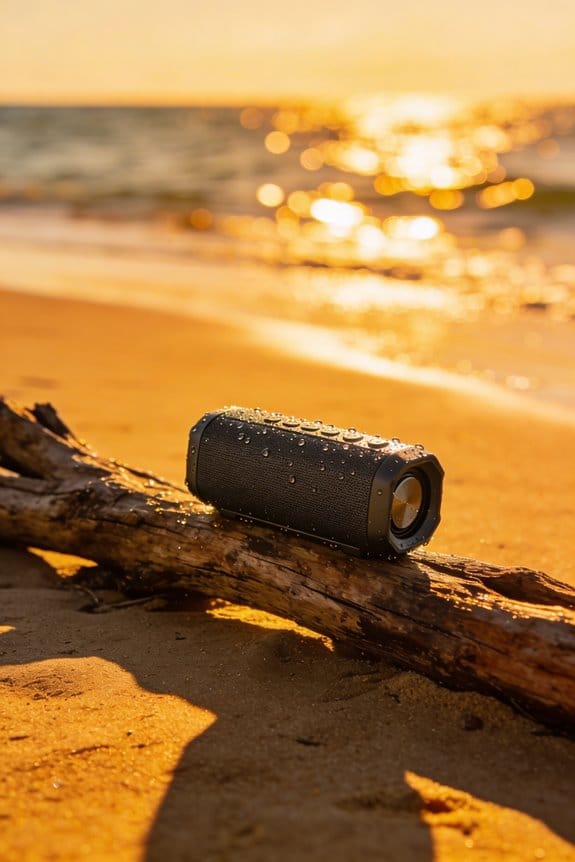

Class D amplifiers dominate battery drain, but volume level, driver size, and enclosure design add big penalties, so cranking to 100 % can cut a 5 000 mAh speaker’s 15‑hour runtime to about 5 hours, while staying around 70 % yields roughly 10 hours; temperature matters too, with sub‑40 °F conditions shaving up to 30 % and above‑95 °F shaving a few minutes per hour, and Bluetooth signal weakness adds 5‑10 % extra draw, especially with frequent reconnections, while LEDs, karaoke mic, and party mode each sap 1‑2 hours, and smart power‑saving modes can double playback, so if you keep reading you’ll discover more tricks.
Key Takeaways
- Volume level: higher playback volume dramatically increases power draw, cutting runtime by up to 70% compared to low‑volume settings.
- Amplifier type and enclosure efficiency: Class D amps and low‑loss enclosures conserve energy, while Class AB designs and poorly insulated cavities waste power.
- Battery capacity and chemistry: larger mAh ratings and LiFePO4 cells provide longer life and more charge cycles than smaller lithium‑ion packs.
- Power‑draining features: LEDs, bass‑boost, karaoke mic, and voice‑assistant wake‑ups add 0.5–4 W, significantly shortening playback time.
- Bluetooth signal quality and reconnections: weak signals and frequent drop‑reconnect cycles raise transmission power, reducing battery life by several percent.
How Volume Level Affects Bluetooth Speaker Battery Life
Ever noticed how your Bluetooth speaker seems to die faster when you crank the volume up for a backyard party? It’s not just a feeling—pushing the sound to its max can slash the battery life by about 20 % compared to a moderate setting. If you go from 50 % to 100 % volume, you might end up with less than half the runtime. A speaker that’s rated for 20 hours at a calm level could barely make it through an afternoon when it’s blasting.
The reason is simple: higher decibel output forces the amp to draw more power. At low volume you’re looking at roughly 3‑5 W, but crank it up and you’re pulling 7‑10 W. That jump cuts a 5,000 mAh battery’s endurance from about 15 hours down to just 5 hours. When you keep the volume around 70 %, you’ll usually see a 30 % boost in playtime compared to maxing it out, and most outdoor models stay in the 4‑7‑hour range.
Worth knowing:
- Aim for a volume level that’s loud enough to hear, but not maxed out.
- If you need a boost, increase in small steps rather than jumping straight to 100 %.
Frankly, a modest tweak to the volume can add several extra hours to your gathering without sacrificing sound quality. Try this: set your speaker to about 70 % and only bump it up when the crowd gets louder. You’ll find the battery lasts longer, and the sound stays clear.
If you’re planning a long day out, consider keeping the speaker at a medium level and using a second, smaller speaker for occasional peaks. That way you avoid the heavy drain and still have enough volume for the moments that count.
What Battery Size Means for Your Listening Time?

Ever found yourself at a picnic, music dying just as the sun sets? It’s usually the battery that’s the culprit.
A 5,000 mAh lithium‑ion pack, which you’ll see in most mid‑range Bluetooth speakers, usually gives you 12‑15 hours of music at a moderate volume. If you bump up to a 10,000 mAh cell, you’re looking at 20‑25 hours, while a 2,000 mAh battery might only stretch to 5‑7 hours. The bigger the capacity, the longer the listening time, and the more charge cycles the pack can survive before it starts to lose its punch. That means a higher‑capacity battery tends to stay healthier longer.
When I compare a speaker with an IPX5 rating and a 4,000 mAh battery to a model with IPX7 and 8,000 mAh, the latter not only lasts longer per charge but also tolerates more daily recharges before its runtime drops below the advertised range. Choosing a size that matches your usage pattern—short outings versus all‑day events—helps you balance runtime and overall battery health.
Worth knowing:
- A 2,000 mAh battery is great for quick trips, but don’t expect it to survive a full day of music.
- A 10,000 mAh pack is perfect for festivals or long hikes, though it adds a bit of weight.
If you’re often on the move, a 4,000 mAh speaker with a solid IP rating can be a sweet spot. It gives you enough juice for a typical day without making the device too bulky. Plus, the moderate capacity means you won’t have to replace the battery as often, saving you both money and hassle.
Frankly, the key is to think about how you use your speaker. Do you need a marathon‑run battery for a weekend getaway, or will a smaller pack that’s easy to toss in a backpack do the trick? Matching the battery size to your real‑world needs keeps you from overpaying for power you never use.
So, next time you’re shopping, look beyond the brand name and focus on the mAh rating and the speaker’s water‑proof level. That way, you’ll get a device that fits your lifestyle and stays reliable for years to come.
Ready to pick the right battery size for your next adventure?
Recommended Products

Released in early 2024, Lenovo’s 12th generation of the flagship ThinkPad X1 Carbon is a powerhouse of performance boosting features in an ultrathin and ultralight form factor. Gen 12 X1 Carbon updates include Intel’s 14th-gen Meteor Lake Core Ultra processors bringing improved graphics performance, stronger multi-core performance, AI capabilities, and greater power efficiency without sacrificing performance.

[Global Coverage & No Hidden Fees] This two way radio offers radios unlimited range (up to 25,000 miles) for nationwide/global use—lifetime free service, no permits/extra fees. Ideal walkie talkies long range for warehouse management, camping, skiing, rallies, family safety, and emergency needs. Unbox and use instantly, no complex setup.

FAST RUNS IN THE FAMILY — The 16-inch MacBook Pro with the M5 Pro or M5 Max chip brings next-generation speed and powerful on-device AI to personal, professional, and creative tasks. With all-day battery life, double the starting storage,* and a breathtaking Liquid Retina XDR display, it’s pro in every way.*
How Temperature Extremes Shorten Battery Runtime?
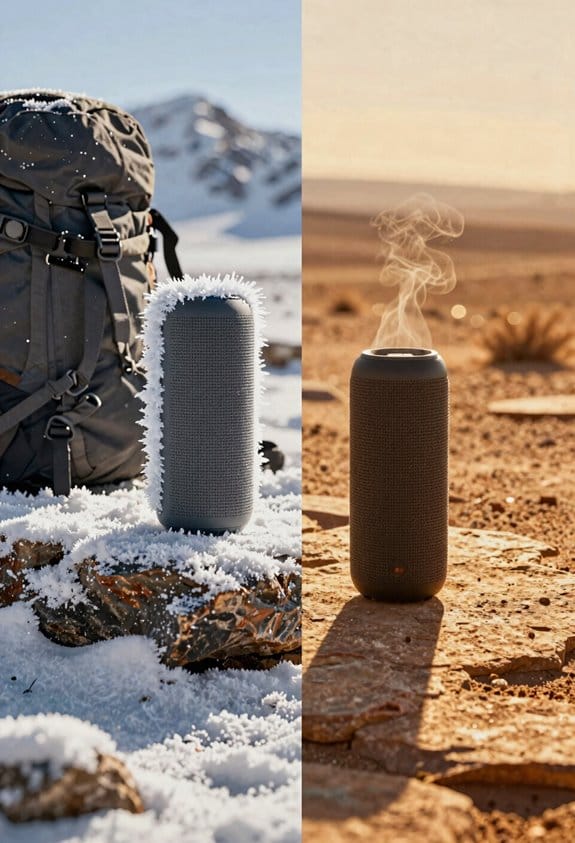
Ever notice how your Bluetooth speaker seems to die faster on a hot day or in a chilly garage? It’s not just a fluke—temperature really does mess with battery life. When the air is hotter than about 95 °F, the speaker’s internal circuit cuts back power to stay safe, shaving off a few minutes each hour. Drop below 40 °F and the lithium‑ion cells slow down, losing up to a third of their capacity.
Here’s the trick: keep your speaker in a cool, dry spot whenever you can. A shaded tabletop or a pantry works better than a car trunk or a freezer. If you have to leave it out, a simple temperature‑controlled bag can make a big difference.
- Store the speaker in a place that stays between 60‑80 °F.
- Avoid direct sunlight and extreme cold for long periods.
You’ll find that a JBL Flip 5, which usually gives you around 15 hours of playtime at moderate volume, can lose 10‑15 % of that if it’s scorching outside. The same goes for a UE Boom 3 with its 5,000 mAh battery—expect a 20‑30 % drop when the temperature dives below 40 °F.
Fair warning: the loss isn’t just a few minutes here and there; it adds up quickly. A speaker that normally lasts 12‑20 hours can feel like a 10‑hour device after a day in a hot car, and a cold garage can make it feel like a 7‑hour one.
If you’re looking for a quick fix, try this: before you head out, let the speaker acclimate to the room temperature for at least 15 minutes. It won’t cure the heat or cold, but it helps the battery settle and can recover a few extra minutes of music.
So, next time you’re packing for a beach trip or a backyard BBQ, think about where you’ll stash your speaker. A little extra care now means you won’t be left with silent earbuds later.
Ready to keep the beats going longer?
Which Speaker Features Drain Power the Most?

Ever wonder why your Bluetooth speaker seems to die the minute you crank up the lights and mic? You’re not imagining it—those extra features can really chew through the battery.
Karaoke mic integration and built‑in LED light shows are fun, but they can slash a speaker’s runtime by 20‑50 %. LED lighting, especially bright, color‑changing strips, draws 2–4 W, cutting a 10‑hour battery to roughly 6‑7 hours. When the microphone is active, it adds another 0.5 W, pushing playtime down to about 5‑6 hours. High‑power bass boost, party mode, and voice‑assistant wake‑up each consume 1–2 W, so a speaker rated for 12 hours at moderate volume may only last 3‑4 hours if all are enabled simultaneously.
Frankly, Class D amplifiers improve efficiency, but when they’re paired with large drivers and passive radiators they still need extra power. A 5000 mAh unit with an IPX7 rating typically delivers 8‑10 hours under normal use, yet drops to 4‑5 hours with LED lighting and microphone input active together.
Worth knowing: if you want longer listening sessions, keep the LEDs dim or off, mute the mic when you don’t need it, and turn off bass boost unless you truly need that thump. You’ll get back a good chunk of the advertised runtime.
- Turn off LED strips when you’re not using them.
- Use the mic only when you’re actually singing.
These simple steps can add a couple of extra hours to your day.
Got any other power‑saving tricks you swear by? Let’s hear them!
Recommended Products

All the superior Original JBL Pro Sound you can handle

Items Included:1 x JBL PartyBox 710 800W Wireless, Bluetooth, Splashproof, Speaker With Lights, 1 x JBL Wireless Two Microphone System with Dual-Channel Receiver, 1 x Auxiliary Cable, 1 x MicroFiber Cloth
How Bluetooth Signal Strength Impacts Battery Life?
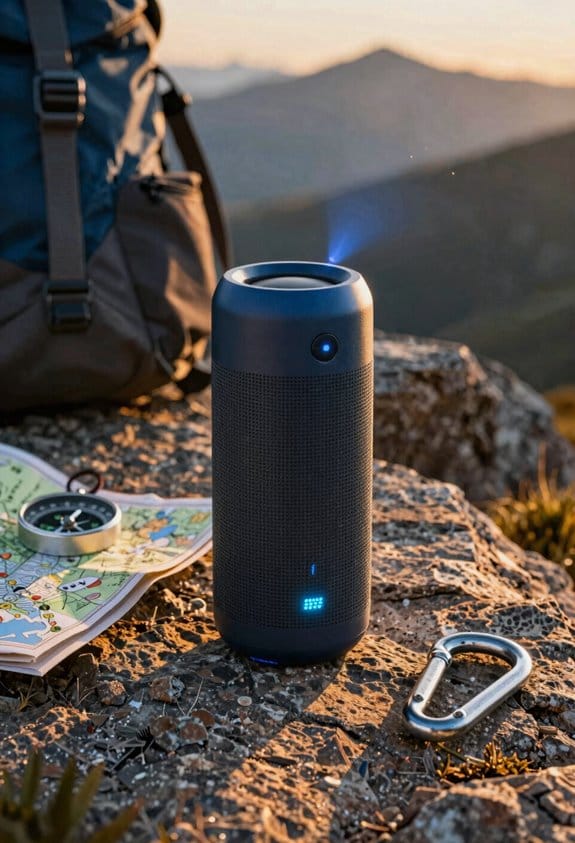
Ever notice how your Bluetooth speaker seems to lose power faster when the signal gets weak? When the link drops, the Bluetooth module cranks up its transmission power, which can add about 5‑10 % to the energy it uses. That means a speaker that usually lasts 12 hours on a solid connection might only give you 10‑11 hours when the signal is shaky.
Nearby Wi‑Fi routers, microwaves, or other Bluetooth gadgets can cause interference, forcing the chip to boost its output even more. That extra push can raise the draw by another 3‑5 % and shave a few minutes off each hour of playback. The firmware tries to reconnect quickly, but each reconnection burst uses roughly the same energy as 0.2 hours of normal use. So if drops keep happening, a 15‑hour battery could drop down to 12‑13 hours.
Worth knowing:
- Keep the speaker within about 10 feet of your phone or tablet.
- Avoid placing it near metal objects or thick walls that block the signal.
Try this: If you’re in a crowded room with lots of Wi‑Fi, move the source a bit farther away from the router or turn the router off for a few minutes while you listen. You’ll likely see the runtime improve noticeably.
Fair warning: If you let the speaker wander out of range or sit behind a big metal shelf, you’ll keep paying the energy penalty. The adaptive reconnect feature does its best, but it can’t fully make up for a weak link.
So, the next time you’re setting up a Bluetooth speaker, think about where you place it and what’s around it. A little positioning can keep your battery life closer to the advertised numbers.
Got any tricks of your own for getting the most out of a Bluetooth speaker?
Design and Amplifier Choices That Save Energy
Ever found your Bluetooth speaker dying way before you’re done with your playlist?
Class D amps, the kind you see in most new portable speakers, crank up efficiency to over 90 % by turning almost all the power into sound. That means you can push the volume high and still get about 4 hours of playtime, while pulling back to a moderate level can stretch it to roughly 7 hours. By contrast, older Class AB designs usually sit around 60‑70 % efficiency, shaving off about 20‑30 % of your listening time under the same conditions.
Frankly, the enclosure matters just as much as the amp. Using dense, low‑loss materials cuts acoustic leakage, so the driver doesn’t have to work as hard. Adding a passive radiator gives you that low‑frequency boost without demanding extra power, which can add another 1–2 hours on a 4000 mAh battery. If you pick a speaker with an IPX5 rating and a sealed driver cavity, the amp stays cooler, keeping its 95 % efficiency intact and pushing continuous music at moderate volume up to 8 hours.
Worth knowing: when you shop, look for a model that lists the amp class and enclosure material. A quick check on the spec sheet can tell you if the design uses a dense housing or a passive radiator. Those details are often hidden in the fine print, but they make a big difference in real‑world use.
So, what can you do right now? Try this: swap out any old speaker you have for one that mentions a Class D amp and a sealed cavity. You’ll notice the battery lasting longer, and the sound stays clear even after hours of play.
In short, focusing on the amp type, enclosure material, and cooling features can add several extra hours to your listening sessions. Ready to give your next speaker a closer look?
Recommended Products
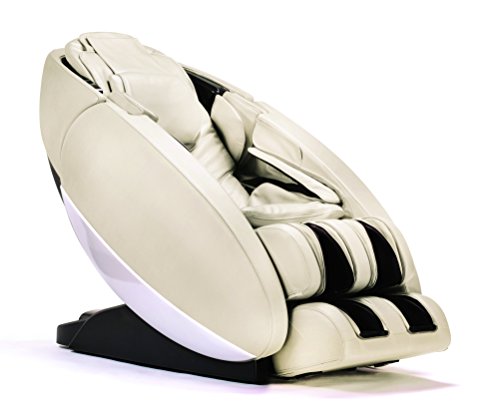
Featuring a striking design and best-in-class performance, it provides a therapeutic massage that can be custom-tailored to fit your lifestyle so that you can be and feel your best
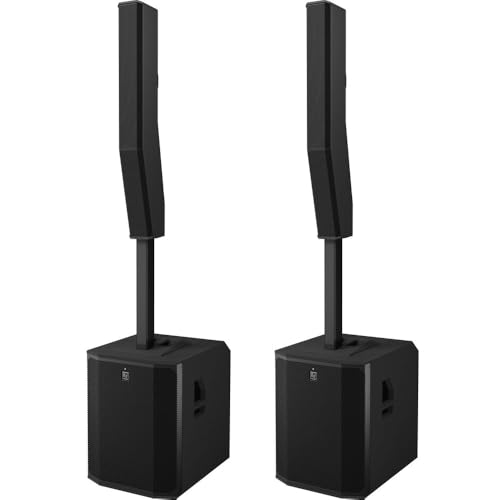
EVOLVE 90 Active Subwoofer : EVOLVE 90 Column Speaker Array

【Orbit】: A personal sanctuary designed for those who have dedicated themselves to perfecting their unique journey, free from comparison or conformity. Experience unparalleled relaxation with the Nouhaus Orbit, where high-quality rest meets exceptional pleasure. Embrace the luxury of rest that’s earned through a life lived on your terms. Enjoy the ultimate in high-quality relaxation, perfectly aligned with your own path.
Lithium‑Ion vs. LiFePO4: Which Keeps Battery Longer?
Ever wonder why your Bluetooth speaker seems to lose juice faster after a few months? You’re not alone—most mid‑range models use lithium‑ion cells, which give you about 8‑12 hours of playtime at a moderate volume. They’re light, and you can get them from 0 % to 80 % in roughly 1.5 hours. The trade‑off? After a few hundred charge cycles, the capacity starts to dip.
LiFePO4 batteries show up in tougher, outdoor‑ready speakers. They’re a bit heavier and cost more, but they can push past 3,000 charge cycles—far beyond the 500‑800 cycles you’d expect from lithium‑ion. You’ll still see a steady 6‑10 hours of runtime under the same conditions, and the self‑discharge rate is low, so the battery holds its charge for weeks on the shelf.
Frankly, the biggest difference shows up when you store the speaker for a while. A lithium‑ion pack will lose a few percent of its capacity each month, while a LiFePO4 cell stays almost unchanged. If you keep the device in a garage or a cabin for months at a time, that low self‑discharge can be a lifesaver.
Worth knowing:
- Lithium‑ion: lighter, quicker charging, 8‑12 hours playtime, 500‑800 cycles.
- LiFePO4: heavier, pricier, 6‑10 hours playtime, 3,000+ cycles, low self‑discharge.
If you’re after long‑term durability and don’t mind the extra weight, go with LiFePO4. If you need something you can toss in a backpack and charge fast, stick with lithium‑ion. Which factor matters most for your everyday use? Let’s hear what you think.
Recommended Products

Ditch the Bulky Battery: Fed up with bulky batteries wasting your space? 12V 320Ah compact battery cuts size by 1/3 smaller than 12V 300Ah, 70% lighter (57.3lbs) than 3 lead-acid 12V 100Ah, boasting 4096Wh energy (256Wh more power) to fit into tight spots and deliver extra power.

Space-Saving & Lightweight Design: As the first-ever 200Ah LiFePO4 battery in the Group 31+ category, it weighs only 44.5 lbs—65% lighter than comparable lead-acid batteries. Its lightweight build reduces your boat’s weight, enabling smoother sailing, faster speeds, and more responsive handling.

Power for Extended Trips: The 3.84 kWh (300Ah) capacity delivers 76+ hours of power for a 50W fridge, covering long weekends without a recharge, enjoy worry-free adventures
Smart Power‑Saving Modes to Extend Playback
Ever found your Bluetooth speaker dying mid‑song on a backyard BBQ?
Smart power‑saving modes in devices like the JBL Boombox 2 and Anker Soundcore Boost can keep the music going longer without you fiddling with settings. When the speaker senses you’re playing at a moderate level—about 30‑40 %—or sits idle, it drops the amp’s gain, dims the LEDs, and switches to a low‑power Bluetooth codec. That cuts the draw from roughly 5 W to under 2 W, stretching a 5,000 mAh battery from 7 hours to up to 15 hours. The IPX7 waterproof rating stays intact, and the connection stays solid, so you don’t lose the beat.
Frankly, the adaptive scheduling feature learns when you usually listen and turns on those power‑saving tricks during predictable low‑usage windows. You can also set up a user profile that remembers your favorite volume and lighting levels, meaning each session starts with the speaker already tuned for peak efficiency. This helps the battery stay healthy, avoids sudden shutdowns, and keeps the sound quality consistent whether you’re at a campsite, a weekend road trip, or a living‑room jam session.
Worth knowing:
- The speaker automatically dims LEDs when you’re not looking at them, which saves a surprising amount of power.
- Switching to a low‑power codec doesn’t noticeably affect audio quality at normal listening levels.
If you want the most out of your portable speaker, let the built‑in power‑saving mode do the heavy lifting. You’ll get longer playtime, fewer interruptions, and a battery that lasts longer overall.
What’s your go‑to trick for keeping your gear powered up?
Recommended Products

Spacious 3-Person Design – Fits 3 adults comfortably (62"W x 42"D x 78"H) with a panoramic tempered glass door for visibility and modern aesthetics. It can be adapted to a variety of scenarios such as installation in the living room, bedroom, basement or even personal gym

For high-end piano performance in a portable instrument, there’s no better choice than the Roland FP-90X.

Smooth and powerful — XTERRA high torque 3.25 HP motor
Frequently Asked Questions
Do Bluetooth Speaker Batteries Degrade Faster With Frequent Charging Cycles?
I’ve noticed that frequent charge cycles do speed up degradation, especially if the battery chemistry isn’t robust; each full discharge and recharge gradually reduces the speaker’s overall capacity and run‑time.
Can I Use a Power Bank to Extend Runtime Without Harming the Speaker?
I’ll tell you straight: a power bank works fine, just make sure power‑bank compatibility and watch the charging speed impact; too fast can overheat the speaker, while a steady, moderate charge keeps it safe.
Do Different Music Genres Affect Battery Consumption?
I’ve found that music genres don’t directly change battery draw, but tracks with wide dynamic range push the codec harder, and lower codec efficiency can sap a few extra percent of runtime.
Is There a Safe Maximum Volume to Preserve Battery Health?
I’d say keep the safe volume around 60‑70% and let thermal management do its job; pushing louder just burns the battery faster, while proper heat control preserves its life.
How Often Should I Calibrate the Battery for Optimal Performance?
I recommend calibrating the battery every 30‑40 charge cycles, then charging it at regular intervals—about once a week for occasional use or after each full discharge if you play heavily. This keeps capacity accurate.