

LDAC pushes up to 990 kbps, 24‑bit/96 kHz and 70–100 ms latency, giving the richest detail but draining battery faster, while aptX Low Latency delivers 16‑bit/44.1 kHz at roughly 30 ms for gaming and calls, keeping power use modest; aptX HD sits in the middle with 576 kbps, 24‑bit/48 kHz and about 50 ms latency, offering better fidelity than SBC yet lower delay than LDAC, and SBC/AAC stay around 80 ms latency and can stretch playback to eight hours, making the choice a balance of bitrate, sample rate, latency, and power consumption; keep exploring for deeper insights.
Key Takeaways
- Higher bitrate and sample rate (e.g., LDAC 990 kbps, 24‑bit/96 kHz) preserve more detail, yielding richer, more accurate sound.
- Lower latency codecs (aptX Low Latency ~30‑40 ms) minimize audio‑visual drift, crucial for gaming and video calls.
- Bit depth influences dynamic range; 24‑bit codecs capture ~144 dB, while 16‑bit codecs cap at ~96 dB, affecting quiet‑to‑loud transitions.
- Compatibility matters: aptX HD offers broader device support, whereas lossless codecs require matching hardware on both ends.
- LC3 (Bluetooth 5.2) improves efficiency and reduces latency without sacrificing fidelity, benefiting both casual listening and interactive media.
Which Bluetooth Codec Gives You the Best Sound and Latency?
Ever tried listening to a movie on Bluetooth and noticed the audio lag behind the picture? That tiny delay can ruin the experience, especially when you’re into gaming or watching fast‑paced shows. Below is a quick rundown of the three most common Bluetooth codecs and how they stack up in sound quality and latency, so you can pick the one that fits your needs.
LDAC packs a 990 kbps peak bitrate, 24‑bit/96 kHz support, and intermodulation distortion as low as 0.041 %. It gives the clearest, most detailed sound you’ll find in most Bluetooth options. The downside? Its latency lands between SBC and the low‑latency variants of aptX, typically around 80‑100 ms. If you’re an audiophile who can tolerate a modest delay, LDAC is a solid pick.
aptX Low Latency cuts connection lag to roughly 40 ms, far lower than LDAC’s range, while still delivering 16‑bit/44.1 kHz audio and a total harmonic distortion of about 0.2 %. That level of sync is great for gaming and video where timing matters more than absolute fidelity. The power draw stays modest, letting headphones run up to 30 hours on a single charge, and the link stays stable even during fast‑paced sessions.
aptX HD offers 24‑bit/48 kHz playback at 576 kbps, striking a balance between high‑resolution sound and latency comparable to LDAC. Its THD can be an order of magnitude higher than LDAC’s best measurements, so you might notice a slight fuzziness in the most demanding tracks. Still, it’s a good middle ground if you want better sound than aptX Low Latency but don’t need the full bandwidth of LDAC.
Worth knowing:
- LDAC: best sound, 80‑100 ms latency, higher battery use at full bitrate.
- aptX Low Latency: ~40 ms latency, 30‑hour battery life, decent sound for games.
- aptX HD: 24‑bit/48 kHz, LDAC‑like latency, slightly higher distortion.
Fair warning: firmware updates often improve connection stability and boost codec adoption rates, so keep your device’s software up to date. If you’re mainly watching movies or listening to music at home, LDAC’s sound quality might outweigh the extra delay. For competitive gaming or video calls, aptX Low Latency is the safer bet.
Which codec do you think fits your daily listening habits best? Give it a try and see how it changes your experience.
Recommended Products

QCS6490 platform for ultra-smooth performance Powered by Qualcomm’s advanced QCS6490 platform—built on the same architecture as Snapdragon 778G—the M27 features A78 cores up to 2.7GHz, delivering a fast, fluid Android experience for multitasking, streaming, and large music libraries.
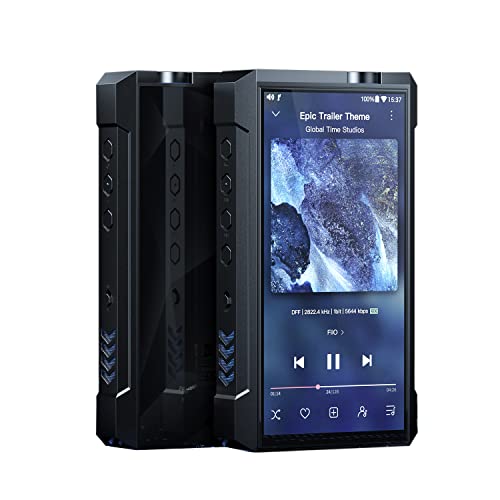
[Desktop-league DAC ES9038PRO]: The left and right audio channels each contain a desktop-class, 8-channel ES9038PRO flagship DAC. This means that each audio channel has 8 parallel outputs summed together for superior resolution and minimal distortion for extremely pure audio reproduction.

【 Discrete 1-Bit PSRM Architecture】 Experience pure 1-bit decoding with TOPPING’s self-developed PSRM module, featuring 16 discrete elements per channel. Achieves an incredible 131 dB dynamic range and 131 dB SNR for unmatched clarity and musical realism.
Why Bitrate, Sample Rate, and Bluetooth Codec Matter for Fidelity?

Ever tried to watch a fast‑action movie on your Bluetooth headphones and felt the sound lag behind the picture? That lag can be a real buzzkill, especially when you’re also trying to enjoy the music. The trick is to look at three things: bitrate, sample rate, and the codec your device uses. Those numbers tell you how much detail you’ll get, how wide the frequency range is, and how quickly the audio arrives.
LDAC tops the list for raw sound quality. It can push up to 990 kbps, handle 24‑bit/96 kHz audio, and keeps intermodulation distortion down to 0.041 %. That means you’ll hear more subtle harmonics and a cleaner high end. The downside? Its latency sits around 80‑100 ms, which can be noticeable in action movies or sports clips. If you’re watching a quiet drama at home, you might not mind, but for anything fast‑paced, the delay can feel off.
AptX Low Latency trades a bit of fidelity for speed. It caps at 16‑bit/44.1 kHz, so the dynamic range isn’t as wide, but the delay drops to about 40 ms. That makes it a solid pick for gaming, where every millisecond counts. You’ll still get decent sound, but you won’t be missing the subtle background details you’d hear with LDAC.
AptX HD lands in the middle. With a 576 kbps bitrate, it supports 24‑bit/48 kHz and keeps total harmonic distortion around 0.2 %. It’s not as crisp as LDAC, but it’s a lot better than standard Bluetooth audio, and the latency is more manageable for most movies and music listening sessions.
Worth knowing:
- Higher bitrate pushes more audio data past the point where your ears start to filter it out, so you hear more of the original recording.
- A higher sample rate widens the frequency response, helping transients and high‑frequency details survive in noisy environments.
- Low latency and low distortion keep the sound in sync with the picture and preserve the intended dynamics.
When you pick a codec, think about where you’ll be using it. A quiet living room lets you favor quality, so LDAC could be worth the extra delay. On a noisy commute, the extra detail might get masked anyway, so a lower‑latency option like aptX Low Latency could feel smoother. For competitive gaming, you’ll want the fastest response, even if it means a slight dip in fidelity.
Frankly, the best setup is the one that matches your listening habits. If you’re mostly streaming movies, go for a codec that balances quality and speed. If you’re a gamer, prioritize low latency. And if you just love high‑resolution music, LDAC’s detail is hard to beat, as long as you can tolerate the lag.
LDAC vs. aptX Lossless vs. aptX HD: Head‑to‑Head Performance Numbers
Ever tried streaming music on a crowded train and noticed the sound dropping out? That’s the kind of hassle most of us want to avoid when we’re listening to our favorite playlists on the go. Below is a quick rundown of the three big Bluetooth codecs you’ll likely run into, plus a few tips to help you pick the right one for your setup.
Recommended Products

A CPLD paired with a precision clock optimizes the digital signal and performs dual-stage purification, achieving deep jitter suppression and reducing artifacts to near zero for clearer, more defined vocals and instruments

【Dedicated Tube Output】M7T is equipped with Dual JAN6418 Tubes, which has low voltage, low power consumption, and almost no microphone effect, ensuring pure and fresh audio output.There are two sound modes to choose from: tube mode and transistor mode.

[Desktop/portable dual power supplies] With the implementation of the dual power supply modes onto the M15 with its more ergonomic design, the M15S is the ideal combination of portability and high performance.
LDAC
- Pushes up to 990 kbps, so you get a solid 24‑bit/96 kHz stream.
- Intermodulation distortion can be as low as 0.041 %, which keeps the audio clean.
- Latency sits around 80‑100 ms, good enough for most video and gaming sessions.
- Its packetization lets it move about three times more data than SBC, and it’s pretty good at handling Wi‑Fi interference.
If you own an Android phone with a Sony chip, LDAC is a safe bet. It works well in noisy Wi‑Fi spots and gives audiophiles a noticeable boost over the default SBC codec.
aptX Lossless
- Peaks at 1 200 kbps and supports true lossless CD‑quality at 16‑bit/44.1 kHz.
- Error resilience is on par with LDAC, but you need matching hardware on both the source and the receiver.
When you have a headset that supports aptX Lossless, you’ll hear a crisp, faithful reproduction of your library. The trade‑off is that you have to make sure every device in the chain can handle it.
aptX HD
- Caps at 576 kbps and runs 24‑bit/48 kHz audio.
- Latency is a bit lower, around 70‑90 ms, which feels snappier for games.
- Packetization is decent for most streams, though its error resilience isn’t quite as strong as the other two.
AptX HD is a good middle ground if you want decent quality and broader device compatibility. It’s especially handy when you’re not sure whether every gadget in your setup supports the newer codecs.
Worth knowing: If you’re mostly listening at home with a stable Wi‑Fi connection, you might not need the highest bitrate. In those cases, the simpler SBC codec can actually hold its own, and you’ll save battery life.
Try this: Pair your phone with a headset that supports both LDAC and aptX HD, then toggle the codec in the Bluetooth settings while you listen to a high‑resolution track. Notice which one feels smoother and which one drops fewer packets.
Frankly, the best choice depends on what gear you already have and how picky you are about sound detail. If you can match the hardware, go for the higher‑bitrate options; if not, stick with the one that works everywhere.
Got a favorite codec you swear by? Let’s hear why it works for you.
How Intermodulation and Harmonic Distortion Influence Perceived Quality

Ever notice how some wireless earbuds sound great at first, then turn a bit muddy after a while? That’s often the work of intermodulation distortion (IMD) and total harmonic distortion (THD). They’re the hidden culprits that can make a clean track feel hazy or a warm tone turn harsh.
AptX HD gives you a latency of 70‑90 ms and supports 24‑bit/48 kHz, which is a solid baseline. But the real test is how IMD and THD affect what you hear. Intermodulation creates unwanted sum‑and‑difference frequencies that mix with the original signal. Most listeners notice this as a subtle “muddy” quality. THD adds harmonic overtones that the ear can sometimes mask, giving a sense of warmth. When the distortion level climbs above 0.05 %, the sound can become harsh.
Frankly, codecs that keep IMD below 0.04 % and THD under 0.02 % tend to preserve clarity. You’ll hear that difference especially on headphones rated IPX5 and powered by batteries that last up to 30 hours. Those specs make them reliable for everyday listening, whether you’re commuting or working out.
Worth knowing:
- Look for low IMD and THD numbers in the spec sheet.
- Choose earbuds with good battery life and water resistance for longer sessions.
If you’re shopping for new gear, pay attention to those distortion figures. A clean signal can make your favorite playlist sound just right. Ready to give your ears a break from muddiness?
The Role of Bit Depth and Dynamic Range in Bluetooth Audio
Ever tried listening to a favorite track on Bluetooth and felt like something’s missing? The culprit is often the codec’s bit depth and its impact on dynamic range.
Bit depth decides how many tiny steps a codec can use to capture a sound’s loudness. A 24‑bit codec can handle about 144 dB of range, while a 16‑bit one tops out near 96 dB. That extra headroom means the loud peaks stay clean and the quiet whispers stay audible, so you hear more detail without distortion.
If you’re into classical or acoustic recordings, you’ll notice smoother progressions and cleaner quiet passages when the codec can capture that full range.
Worth knowing:
- LDAC supports 24‑bit/96 kHz, giving you that 144 dB spread.
- aptX HD sticks to 16‑bit/48 kHz, limiting you to 96 dB.
When you pair a 24‑bit codec with a good‑quality receiver, the difference shows up in nuanced instrument timbres that a lower‑bit codec can mask.
Frankly, you don’t need to be an audio engineer to benefit. Just look for devices that list 24‑bit support and a high sampling rate, and you’ll hear a richer, more natural sound.
Try this: match your phone’s codec setting with a headphones or speaker that can handle the same specs. You’ll quickly hear the contrast in quiet passages and dynamic peaks.
So, when you’re shopping for Bluetooth gear, keep an eye on the bit depth and sampling rate specs—your ears will thank you.
Which codec are you using right now, and have you noticed the difference?
How to Verify That Your Phone and Headphones Share the Same Bluetooth Codec
Ever wondered if your phone and headphones are really speaking the same language? The answer lives in the Bluetooth audio menu of your device, where you’ll see options like LDAC (up to 990 kbps, 24‑bit/96 kHz), aptX HD (576 kbps, 16‑bit/48 kHz), or SBC (max 320 kbps, 16‑bit/48 kHz).
Open Android’s Developer options or iOS Bluetooth settings, tap the connected device, and check the listed codec. If both phone and headphones show LDAC, you’re good to go. If the phone shows SBC while the headphones support aptX HD, you’ll need to switch the codec manually in the app or firmware.
Frankly, I usually enable developer options and watch the debug screen for packet details. When the native menus don’t give enough info, I turn to third‑party tools like Bluetooth Codec Checker. Those apps show the exact codec, bitrate, and sample rate, so you know the audio chain stays consistent.
Worth knowing: you can also change the codec from the Bluetooth settings on some Android phones. Just tap the gear icon next to your headphones, pick the preferred codec, and confirm the change.
If you’re on iOS, the process is a bit different. You can’t force a codec, but you can see which one is in use by tapping the “i” next to the device in Settings → Bluetooth.
The key is making sure both ends use the same high‑resolution or low‑latency profile for the best sound.
Got it? Let’s make sure your music sounds exactly how it should.
Latency Impact on Gaming and Video Sync
Ever notice how a tiny lag can ruin a perfect gaming moment or make a movie’s dialogue feel off? When you’re in the heat of a fast‑paced shooter or binge‑watching a drama, even a 30‑ms delay shows up as a lip‑sync slip or a missed reaction. Picking the right codec can keep things smooth without sacrificing sound quality.
AptX Low Latency is a solid choice for gamers. It sticks around 40 ms total latency—roughly half the 80‑ms you get with SBC and well under the 100‑ms point where most players start to feel lag. Plus, it still delivers 16‑bit/48 kHz audio at 576 kbps, so you won’t lose much fidelity.
LDAC, on the other hand, shines for music lovers. It can push up to 990 kbps and handle 24‑bit/96 kHz, but it usually adds 70‑90 ms of delay. That extra jitter can cause occasional visual‑audio drift in quick‑action scenes, making it less ideal for gaming.
SBC’s 80‑ms baseline often crosses the 100‑ms comfort zone, leading to choppy feedback in competitive shooters. AAC’s variable latency can throw in unpredictable pauses during streaming movies, which can be annoying when you’re trying to stay immersed.
Fair warning: If you prioritize gaming, look for a headset that advertises “Low Latency” or “LL” in its specs. Make sure both the transmitter and the receiver support the same codec, and give it a quick test for consistent frame‑to‑audio alignment before you settle in for a long session.
Try this:
- Check the codec settings on your phone or PC.
- Pair the headset and play a fast‑action clip while watching the sync.
When you’re done, you’ll know whether the audio feels tight enough for your play style or if you need to switch to a different codec. Ready to give your setup a quick check and see if you’re missing any hidden lag?
Real‑World Listening: When Codec Differences Matter
Ever wonder why your favorite tracks sometimes feel flat on a noisy commute?
LDAC’s 24‑bit/96 kHz support and up to 990 kbps bitrate can add real detail and a sense of space when you’re listening to high‑resolution songs on a quiet train. The trade‑off is a higher data load that can push latency up to 70‑90 ms, which you might notice during fast‑moving video scenes.
When you sit near a café window, chatter and street noise tend to mask subtle codec differences. Still, a higher‑bitrate stream often gives clearer instrument separation if you’re positioned in the sweet spot of your headphones’ acoustic pattern.
Frankly, aptX HD at 576 kbps keeps latency under 50 ms, which helps on crowded train rides where sudden announcements would otherwise blur dialogue. SBC’s 320 kbps often sounds flat under the same conditions, especially when battery life drops to six hours and the device’s IP rating of 5X gets exposed to humidity.
Worth knowing:
- LDAC delivers detail but may add latency; great for quiet spots.
- aptX HD offers lower latency, useful when you need quick dialogue.
If you’re looking for a balance, try this: keep your device’s battery above 50 % and stay in a relatively quiet spot to let the higher‑bitrate codec shine without the latency becoming a distraction.
So, what’s your go‑to codec when you’re on the move?
Give one a shot and see if the difference shows up in your daily listening.
Choosing the Right Codec for Audiophile, Gaming, or Casual Use
Ever notice how your headphones sound great for music but lag when you’re watching a fast‑action movie?
When you’re after the best detail, LDAC’s 24‑bit/96 kHz support and up to 990 kbps bitrate give you the most nuance. The trade‑off is a bit more latency—about 70‑90 ms—so you might catch a slight delay on quick video cuts. If you’re okay with that, just make sure the driver matches between your phone and headphones; the ambient awareness stays solid at those bitrates.
For gaming, switch to aptX Low Latency. It keeps the lag under 30 ms, which is crucial for positional cues, and still delivers crisp 16‑bit/44.1 kHz sound. You’ll notice the difference the without sacrificing too much battery life.
Casual listening? Stick with SBC or AAC. They’re easy on the battery—up to 8 hours—handle IPX4 splash resistance, and sound fine for background music. You don’t need perfect driver matching for a relaxed vibe.
Worth knowing:
- LDAC or aptX Lossless for high‑resolution audio
- aptX Low Latency for gaming
- SBC or AAC for everyday use
Try this: pick the codec that matches your activity, and you’ll get the right balance of fidelity, response, and convenience without overthinking it.
Which setup works best for you? Let’s hear your experience.
Recommended Products

Designed with DALI's acoustic mastery: Built on the same renowned principles as DALI’s loudspeakers, the IO-8 delivers an immersive, high-fidelity audio experience. Each note is reproduced with stunning realism, transporting you into your music like never before.

[Upgraded Planar Magnetic Driver] STAX SPIRIT S5 utilizes planar magnetic drivers with EqualMass diaphragm for uniform driving force across the surface, ensuring original sound, low distortion, and fast response. Its second-gen upgraded EqualMass wiring structure enhances diaphragm stability across all frequencies with a symmetric layout.
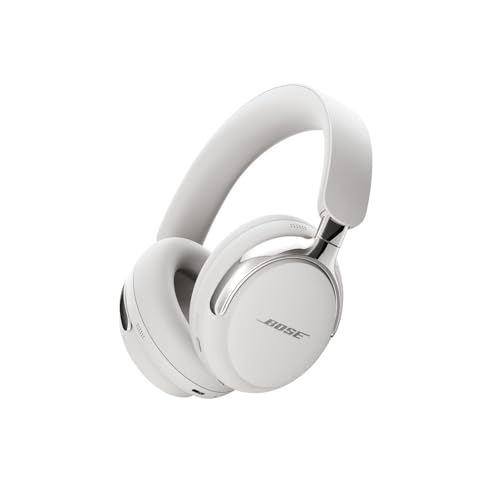
BREAKTHROUGH SPATIALIZED AUDIO: Super immersive sound spatializes everything, taking the music out of your head and placing it in front of you to push the boundaries of listening.
Future‑Proofing Bluetooth Audio: LC3, Bluetooth 5.2, and Emerging Standards
Ever notice how your earbuds die faster than you can finish a podcast? That’s usually the fault of the old Bluetooth codec chewing up power. If you upgrade to LC3, which came with Bluetooth 5.2, you’ll get clearer sound at lower bitrates. That means up to 30 % less power draw, so a typical pair can push past the 10‑hour mark on a single charge. It also supports up to 24‑bit/48 kHz audio while staying inside the mandatory SBC baseline, so you won’t lose compatibility with older devices. Because LC3 is baked into the latest Bluetooth stack, it works on Android, Windows, and Linux without any extra licensing fees.
Frankly, the roadmap for LC3 is crystal clear. Vendors follow phased updates and certification milestones, so new headphones, speakers, and phones will all talk to each other without a hitch. Developers get a stable API, manufacturers can aim for consistent IP ratings like IPX4 for sweat resistance, and you get predictable performance upgrades without needing to buy a whole new setup.
Worth knowing: LC3’s efficiency isn’t just about battery life. It also reduces latency, which is a win if you game or watch videos on the go. The codec’s design lets it fit into the existing SBC framework, so you won’t hit any compatibility walls when you pair with older gear.
If you’re hunting for a future‑proof wireless audio solution, look for devices that list LC3 and Bluetooth 5.2 in their specs. You’ll notice the difference in both sound quality and how long the battery lasts between charges.
So, next time you’re choosing earbuds, ask yourself: Do you want a pair that will keep up with the next wave of Bluetooth standards?
Give LC3 a try and see how much longer your music can play.
What’s the first device you’ll upgrade?
Recommended Products

【 Pure Monster Sound 】These over-ear headphones deliver exceptional sound quality, providing a rich, immersive audio experience. They feature high-fidelity drivers that produce clear and balanced sound across all frequencies. With precision engineering and advanced audio technology, noise-canceling headphones deliver accurate sound reproduction across vocals, instrumentals, and podcasts. Experience a dynamic and immersive listening journey that brings your audio content vividly to life.
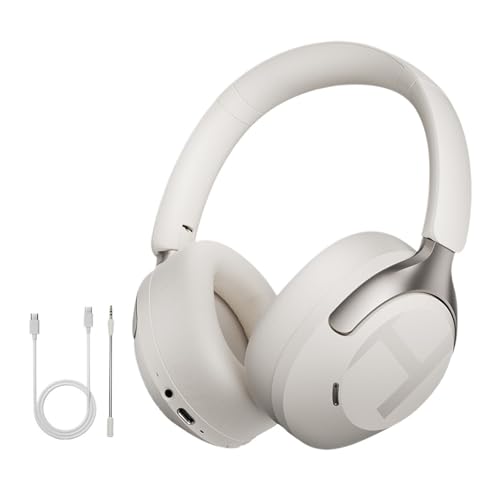
50dB active noise canceling effectively blocks unwanted ambient sounds for immersive listening in various environments

【50dB Active Noise Cancellation】H3 PRO bluetooth headphones can effectively reduce external noise by up to 99.6%, adaptive noise cancelling detects external ambient sounds and enables auto-calibrating to deliver optimal noise reduction. Whether you're on a busy stations or noisy street, this noise cancelling headphones can reduces external noise up to 50dB.
Frequently Asked Questions
Can I Force a Different Codec via Android Developer Options?
I’ll tell you, you can’t really force a codec in Android’s developer options; they only expose debugging flags, not a magic codec‑switch button, so you’re stuck with what the device negotiates.
Do Bluetooth Headphones Support Multiple Codecs Simultaneously?
I can confirm they don’t run several codecs at once; instead, they perform codec negotiation during connection setup, and only one stream is active—there’s no stream multiplexing of multiple codecs simultaneously.
How Does Packet Loss Affect Codec Switching During Playback?
Ever wonder why your music keeps flowing? Packet loss can trigger codec resilience, prompting seamless switching; gap mitigation techniques keep audio continuous, ensuring playback stays smooth despite occasional transmission hiccups.
Why Do Some Devices Revert to SBC Despite Supporting Higher‑Quality Codecs?
I’ll tell you why I sometimes fall back to SBC: during codec negotiation the other device can’t match my preferred codec, so device incompatibility forces a default to SBC despite higher‑quality options.
Will LC3 Replace LDAC and aptX in Future Android Phones?
Think of it as a new highway: LC3 will likely eclipse LDAC and aptX in Android phones because market adoption favors lower licensing costs, and manufacturers crave efficiency and broader compatibility.